Back in the day when we had a question, we would ask someone we believed knew all the answers. This person for me was my dad. I thought he was the smartest person in the world. He never could be stumped by a question. I believed he had all the knowledge in the world. My father was my ‘Google’ when I was young. And like the internet-he had a biased. I was learning from him and having faith that everything he said was true and not misinformation. We heard it all the time when we were young “My dad said so.” Now our students have the ability to ‘Google’ any question they have. The problem is not all students are able to determine if the information is credible. This is an important skill we need to teach early on in childhood in this digital age. There is so much misinformation going around on the internet. Adults today even struggle to know what is true and false information.
It is essential that we teach students how to properly determine what is real and fake. As Curtis and Lisa stated in their video, we must teach the 4C’s – Communication, Collaboration, Creativity and Critical Thinking. They also taught about teaching students the difference between good knowledge vs bad knowledge.
Curtis and Lisa also went through the LoTi framework which is the Levels of Teaching Innovation. This model goes through the stages of teachers effectively implementing technology in their instruction and assessment to enhance higher level thinking. Their video was answering the statement ‘Schools should not focus on teaching things that can be easily googled’. This debate was a puzzling subject. Looking at the topic beforehand I was very confused and interested to see what my classmates would come up with. The debate had to make a few changes and adaptations as both sides had argued the same thing. We ended up having good conversations around this topic.
Daina and Jocelyn created a video and argument to state that ‘Schools should focus on teaching things that can be easily googled.” They argued that students don’t have the skills to properly acquire information from google. These skills must be taught so students are not relying on false information. Many students don’t have access to the internet. The internet is expensive and not all families can afford it. This digital divide makes it necessary for teachers to teach all topics in all ways. Google is not accessible to all students, therefore educators must teach all subjects. Educators also can have a deep understanding of a topic and can differentiate for students to be able to understand. Google doesn’t differentiate for kids and is not able to personalise learning for students.
Daina stated in her video about Google, “it is a tool, not a teacher”. Teachers cannot be replaced by google. Google does not give love, care, and authentic teaching/instruction to kids. It does not teach kids to think critically about what they are viewing on the internet.
In our class discussion there were many tools brought up. The idea of reinforcement was a topic of discussion. Students learning to read need a lot of repetition and need to be able to memorize. Kids learning sight words need repetition to be able to read these words automatically. There are many words in the English language that do not follow ‘rules’. In my class I call these “jail break” words because they break the rules and need to be put in jail. These words must be memorized because students cannot phonetically sound them out. Students at the level I teach also benefit from knowing their addition and subtraction facts automatically to 20. We discussed multiplication facts within the class too. These are skills that cannot be Googled.
Amanda brought up the idea of inquiry in young ages. This is something I was also thinking of while listening to the conversations. The curriculum in younger ages does allow flexibility and encourages this approach to teaching. The idea of Inquiry as a way of instruction within teaching is a progressive idea. In older grades it could be harder to implement this model into learning due to time allowed in the curriculum. This idea and way of instruction I believe depends on push from administration and school boards. My first year teaching, Inquiry was what we did as a school for all subjects besides Literacy and Numeracy. Inquiry was the approach we used for teaching health, science and social studies. As admin changed there was more of a push to get ‘minutes’ into our timetable for each of these subjects. Inquiry is a great tool to allow students to take a deep dive into topics of their interest and take ownership of their learning. They also can take leadership over the learning and can direct where the learning goes. Using this approach, students have to understand these topics by using many resources around them. This could mean people, books and/or the internet.
I am still a bit puzzled by the debate topic, but had many take aways from the videos and the discussions that came out of class. I believe Google cannot replace teachers, hands on learning, critical thinking and many skills students need to be successful. Educators need to teach students how to acquire good knowledge and have a balance of learning from more than one place. Anything under the sun can be Googled and answered, but just because something is easily Googled does not constitute it as real information.
The dictionary defines equity as “the quality of being fair and impartial”. Kalyn and Nataly argued that technology is a force for equity in our society, while Victoria and Jasmine took a stance against this. Both sides brought up great points to argue both sides of this broad, deep topic. This debate went beyond just equity in education but also in our society. Many questions were raised during this debate allowing me to see both sides of the topic. This subject is very relevant in the world we live in today. The digital divide is a discussion among educators and professionals around the world as online learning is implemented.
Many great points were brought up from both sides. Many argue that internet access should be a basic need in our society. This doesn’t mean the devices are all equal. Many students are experiencing difficulties doing online school because their device is not new. They have access to the internet and to online learning but it looks different per household and device. I have had many families tell me certain lessons don’t work on their old tablets, iPads or computers and make their child very frustrated. This is the only device they may have at home, but it is not able to help them in their online learning. The article provided by Nataly and Kalyn, How Access to Technology Can Create Equity in Schools, states the three ways technology can increase equity in schools is “1. Students can access learning materials outside of school, 2. Students and educators have more tools to create a learning environment that fosters personalized learning, and 3. Educators and district leaders can use data to make informed decisions.” I know this is not always possible in our schools and our society. It is a good theory but not always practical or the reality of education.
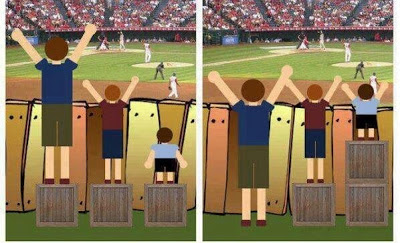
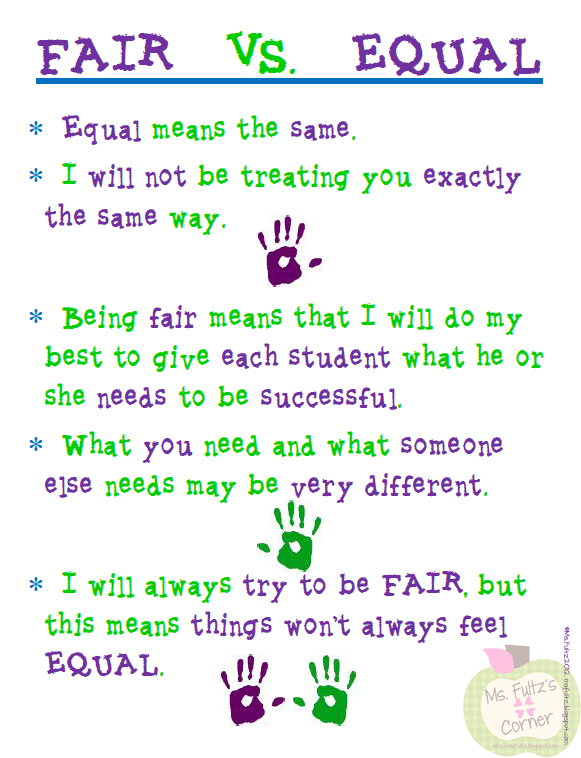
A discussion that came up regarding assistive technology in schools is that it creates inclusion. We see many students being able to be in mainstream classrooms because they have technology to help them learn among their peers. But on the other side there can be many obstacles to get this technology implemented into the classroom. Some students may be on a waiting list to get proper technology to assist them in their learning for a long period of time. This provides a gap as they struggle to wait for technology to help them learn and show their learning. I see many students slip through the cracks because their learning needs are not as visible as others. We also discussed having this assistive technology can point out differences in kids and create bullying or students not understanding why one kid gets an iPad and another doesn’t. These students learning needs may stick out among the classroom and this student may feel embarrassed that they have assistive technology and others don’t need it. On one hand it gives them confidence and on the other it points out their differences. You may also argue that this is a good thing for students to celebrate differences and understand that we all need different tools to learn. Some students may need more than others and that is okay. There can be many ‘teachable moments’ during this time. The school I work in believes in kindness, fairness and respect as their motto. These three values are talked about at every assembly and on morning announcements. They are posted in every classroom and in the hallways. The discussion of fairness often leads to equality. Is fairness the same as equality? Fairness does not always equal equality. What is fair doesn’t always look equal. These are discussions I like to have in my classroom. I believe these are important conversations to start at a young age. Students may see a child with a device in the classroom and say ‘that’s not fair’. This gives us the opportunity to have conversations about equity and the needs of each learner. Our students will experience this for the rest of their lives and I argue it’s never to early to help them understand this value. We can celebrate each other’s differences and learn that everyone needs different things to be successful.
Reading one of the articles provided by Victoria and Jasmine Should schools teach anyone who can get online – or no one at all? had me nodding and agreeing with many of the points presented. “Expanding e-learning district wide raises thorny questions about digital equity and access, especially for students with disabilities, children living in poverty and those who are homeless. This has forced school leaders to ask, “If we can’t teach every student equitably, should we be teaching any at all?”” This quote stuck out to me and goes with what I had discussed previously. We are seeing many students not accessing online learning and falling behind because they lack technology or the supports around them to do online learning. This, again is a very big topic that I could go on and on about but will leave the idea here to allow you to ponder more about it. All educators are experiencing online learning differently depending on the school, community, district, country, etc that they work in. There are many factors that are affecting equity in our society and education right now.
The discussions we have within the debates always lead to more resources and tools.I am very appreciative of this learning that takes place. I learned about two new models that I had never heard of previously. Universal Design Learning (UDL) is a method used to give all students equal opportunity for success in learning. Sheltered Instruction Observation Protocol (SIOP) is a model that helps with instruction for EAL students. Reading Daina’s blog, I got to learn more about these two models. I believe these approaches are beneficial for all learners in our classrooms, not just struggling or EAL students. I will look into these models more and see what I can implement in my instruction.
I feel like this could be a very long post diving deep into this heavy topic but I will keep it short and sweet with my thoughts that were provoked after hearing the debate and reading the articles.
Our first debate happened Tuesday and was not a disappointment at all. My classmates Nancy, Amanda, Trevor and Matt set the bar high for creativity, persuasiveness and had very valid points. This is a topic I have gone back and forth between. I can see and understand the pros and cons for both sides. There was great discussions happening with many other classmates seeing both sides of this argument. Many points that were brought up I had not considered prior to the class. After reading the articles provided and hearing from my classmates, I am still on the fence. Here are some of my personal experiences for both sides of the argument.
Pros
Technology does enhance learning if used in the proper way. George Couros states, “it is important that we try to focus on what opportunities technology presents to us as educators to do something that we could not do before.” If technology is brought to us as educators but we are not taught what to do with it, it won’t enhance students learning or engagement. Educators need to be taught how to implement technology so it can be as beneficial as possible. If you put a student in front of a laptop or iPad with no direction, it’s not going to enhance their learning. Technology can be used in so many ways to create more learning opportunities for students. As my classmate Daina wrote in her blog, “Technology in the classroom CAN enhance learning when: there is a purpose!, there is consistent usage of specific tools and applications, all students have access to technology tools that benefit them as a learner for their specific needs, technology can transfer to different settings in the real world and even beyond educational environments, students/staff are trained and supported continually as to how to use the technology, and when tech issues don’t arise, batteries are fully charged, updates have been made, wifi (when applicable) is accessible and not spotty.” Daina summed up the great points of how technology can enhance learning and made the point during our debates that teacher need to have PD on the technology they are implementing in their classrooms. This way it does enhance learning and not distract from learning. If teachers don’t have training on the technology in their classrooms, it won’t be used efficiently or have purpose.
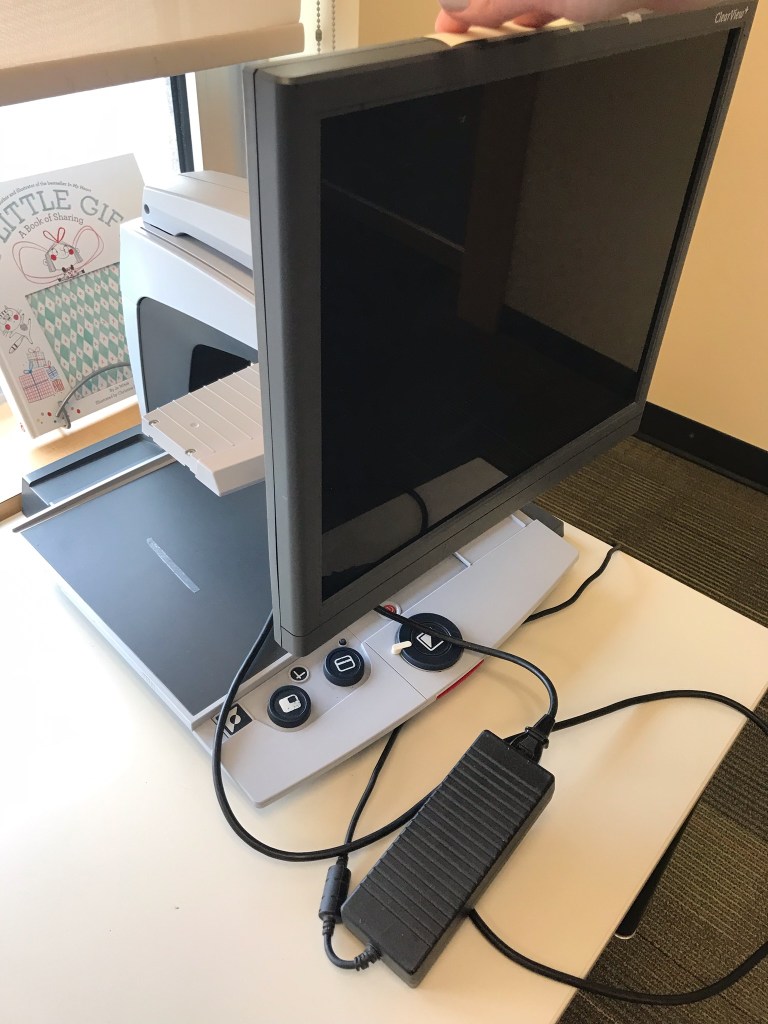
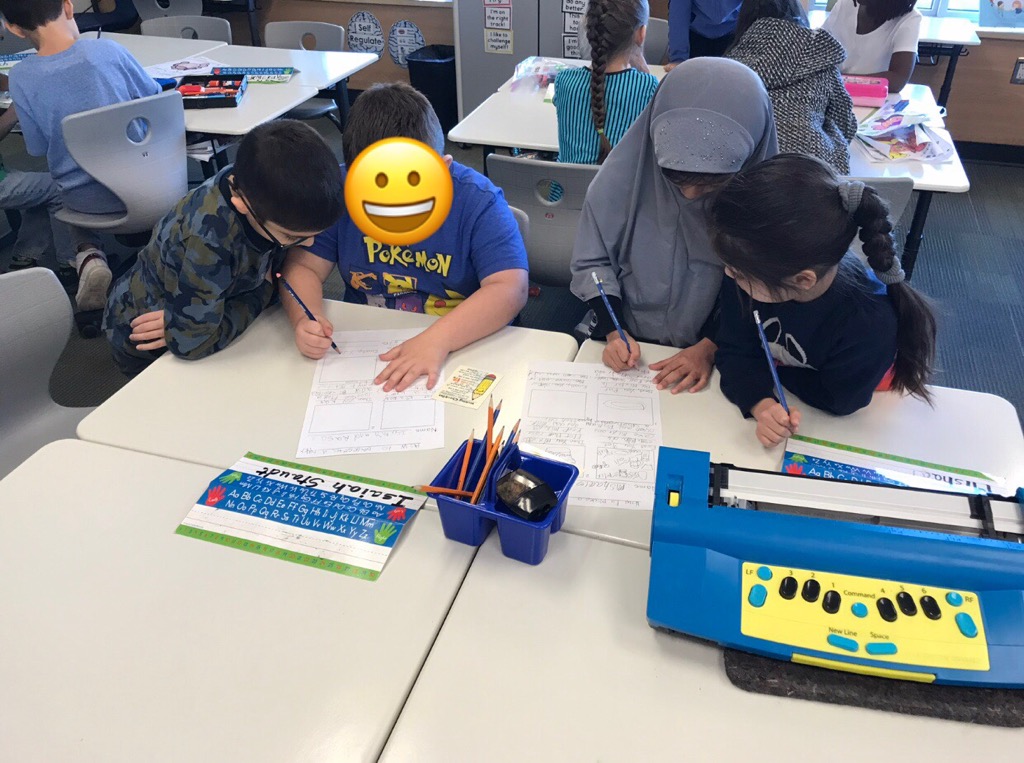
Reflecting on the technology in my classroom, the most important, in my opinion, point that was made by Amanda is that technology invites inclusion into our classrooms. Without technology many students would not be able to be included in ‘mainstream’ education. Schools today have a variety of learning needs. Technology gives students a voice and helps teachers to be able to adapt for all learning needs. Voice-to-text is a great tool for students who struggle to write or read. Technology can give confidence to our students that learn in different ways. I have had students with visual impairments in my classroom. Each student has different needs and ways to learn. Some use Braillers to write and read, others use computers with a large, yellow keyboard, and others use a CCTV which is a device that allows students to magnify their books or work under a camera. The technology that we have to adapt for students with visual impairments is remarkable. Years ago, we would not be able to have these students in a ‘mainstream classroom’ but today with the technology we have these kids can be successful learners with their peers. Inclusion is so important in our classrooms and if technology can help provide inclusion, it does enhance learning.
CCTV
Brailler
Smartboard
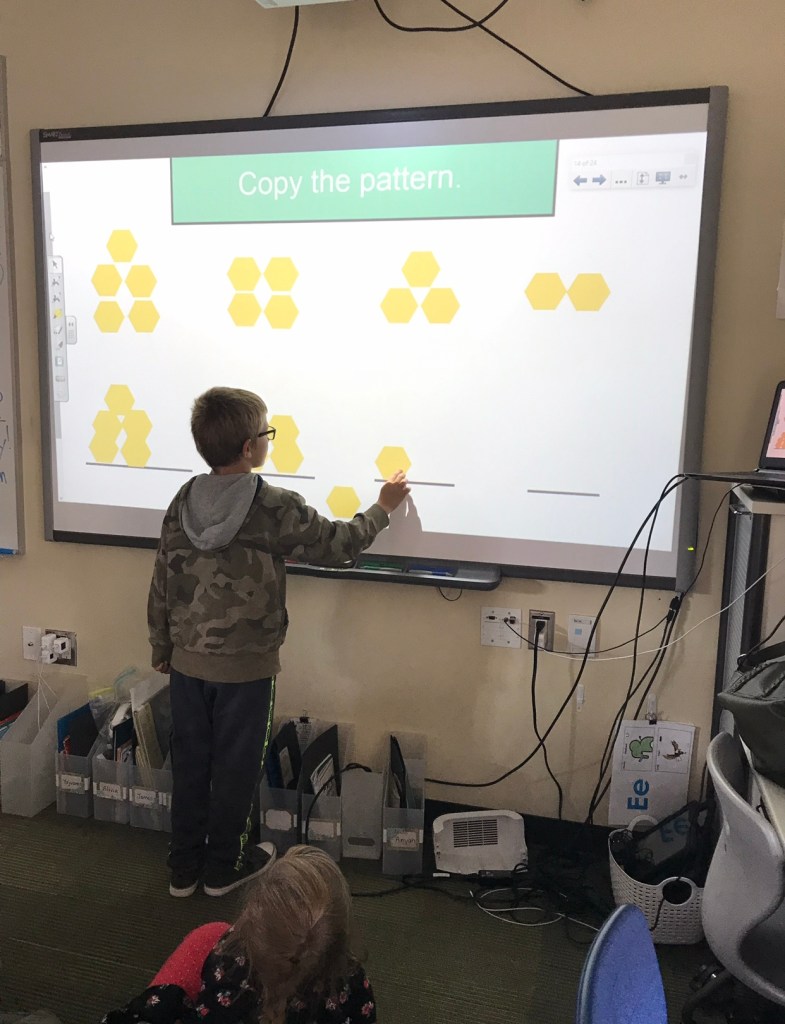
There are many fun, interactive ways to use technology to teach a skill or concept. Students learn in many different ways and technology can give an opportunity to embed a skill or concept into students. Using the Smartboard, videos, songs, and games in class makes the learning fun and provides opportunities for students to really understand a concept. Many learning apps work on concepts that we teach in class and give more practice independently for students that need it.
Cons
Trevor and Matt brought up great points to argue against technology enhancing learning in the classroom. The article they provided The Digital Gap Between Rich And Poor Kids Is Not What We Expected, gave insight from a parents perspective of not having screen time and the digital divide. I agree with a lot of what this article said and the points my classmates made. Parents don’t have a say in how much screen time we allow within a classroom. It can be a distraction from learning. I have had times where students have meltdowns because I won’t let them go on an iPad. This is a waste of time and a big distraction from learning.
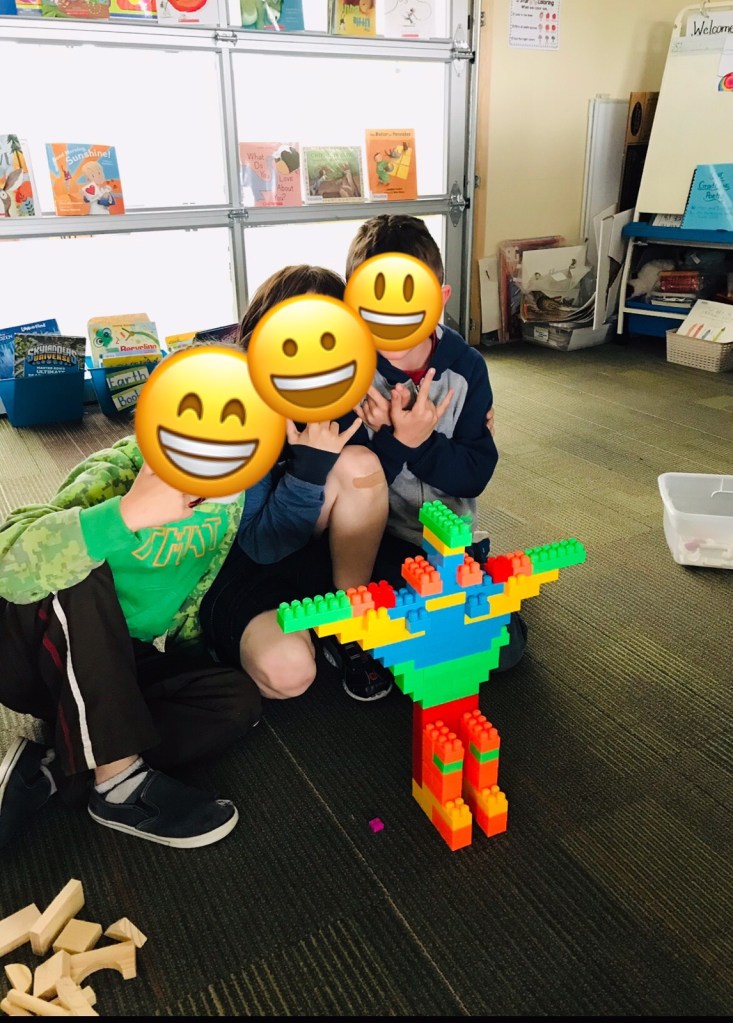
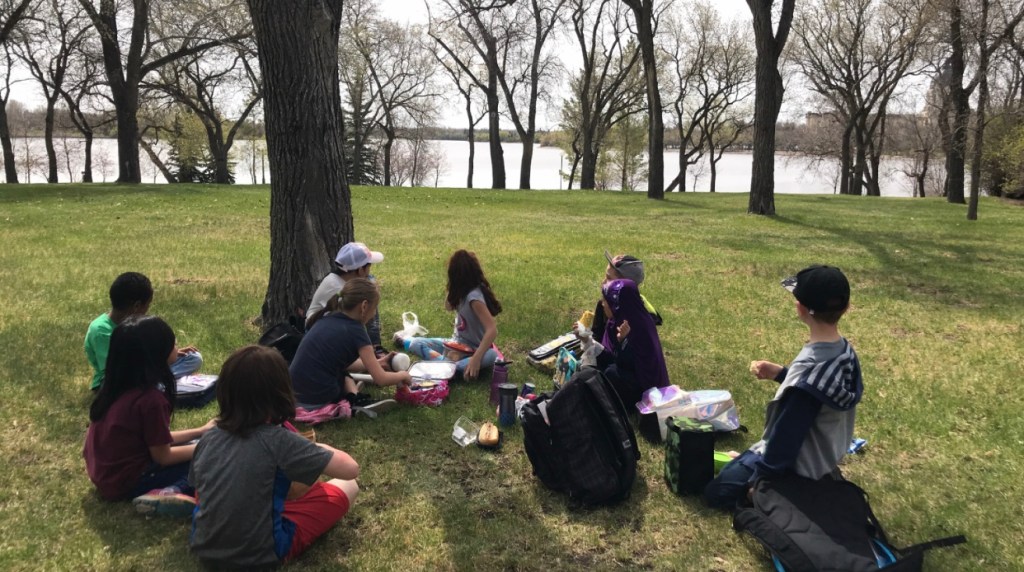
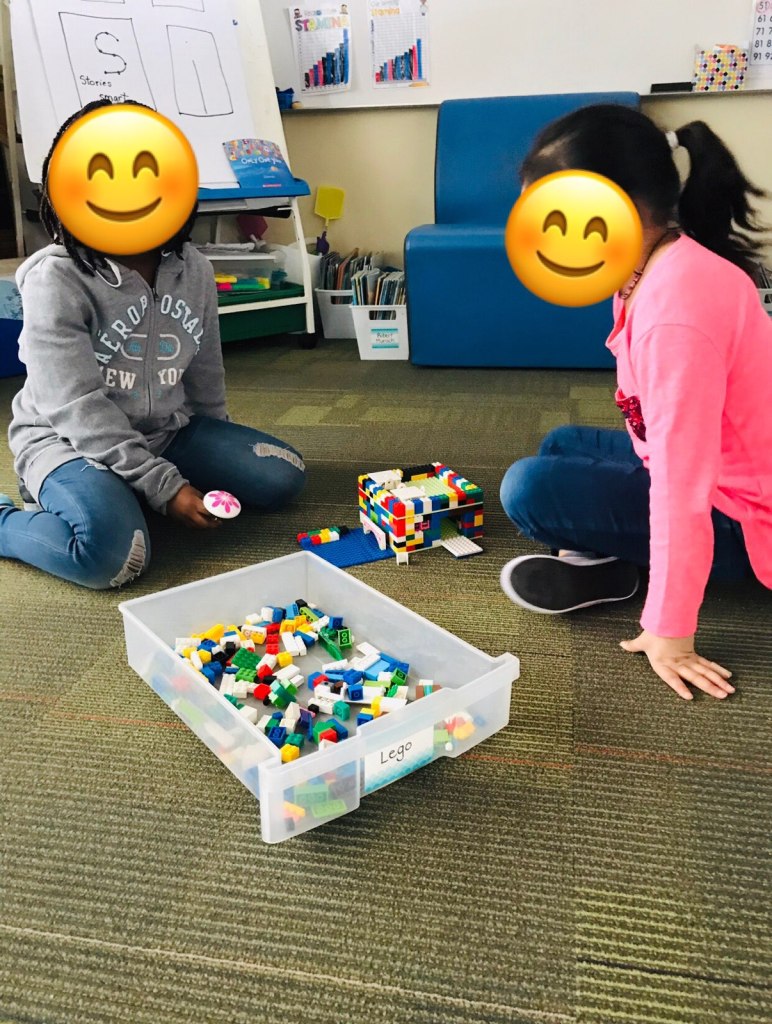
Within my classroom I try to have a good balance of implementing technology that has purpose. At lunchtime I let my students watch one episode of either Magic School Bus or Wild Kratts because it does have educational value. The iPads in my class are only used for the reading and writing apps. I use technology to teach many concepts. My go to sites are Brainpop and Epic Books. I value connection and social interaction in my classroom and throughout the day for my students. I believe it is so important to have face-to-face human interaction and connection. I provide opportunities for this to happen within my teaching day. I do a lot of turn and talks, sharing circles, hands on partner or group work/games, and make kids have conversations. Many students go home and don’t have anyone talk to them or listen to them. They may play video games for their whole evening. As part of literacy, students need to know how to speak and have a conversation. Providing times to do this and not have technology is very important to me as an educator. At the end of the day I try to have a social time. On Friday’s I have ‘Fun Friday” where students choose to play board games, build with blocks, draw, and interact with classmates in a fun way. This relationship building time I believe is very beneficial for their growth. I don’t allow iPads during this time and my students understand it’s because I want them to play/interact together and be creative. Technology can be a distraction in the classroom from interaction with peers. Nature is also so important to me as an educator to implement in my day. Having students play outside and enjoy the beauty of nature is a priority I put in my teaching. Technology often distracts students from wanting to enjoy nature and be outside for recess. Technology in the classroom can distract from these important skills that need to be developed at a young age. Without technology students learn to regulate themselves, be bored, present(mindfulness) and build meaningful relationships.
In conclusion I see both sides of the argument and agree with many points from both. This is a very broad topic. I believe there has to be a balance and purpose to everything we do in our teaching day. If you put kids in front of technology all day, important skills are missing from their development. But if we don’t teach students how to use technology properly in our world, they won’t be set up with the skills to navigate the digital world. My classmate Curtis made the point in his blog that “technology needs to be used as a tool FOR learning, and must have a purpose.” Without a purpose it is just fluff in the classroom or busywork and won’t enhance learning. With a purpose, technology can enhance learning and engagement in our classrooms. I will finish with another quote from The Myths of Technology Series.
“If we can develop meaningful learning opportunities that empower our students to make a difference, our impact will go beyond their time they spent in our classrooms. Technology alone will never provide this. We need great educators that think differently about the opportunities we now have in our world and will take advantage of what we have in front of us, and help to create these experiences for our students to do something powerful.” George Couros
Life as we know it looks different then it did two months ago. Looking back two months, I would never have guessed that this would be our reality. I actually never would have guessed this would ever be our reality. Not in contact with our students, not getting to hug them everyday, not being in our classrooms, not being able to enjoy spring weather together, no field trips, no good-bye, not being able to get a hold of some students-our normal has completely changed. Every time I am asked how I am doing, I respond “I miss my students”. A day in the life is mainly missing students.
Fast learning has taken place for many educators during this time. Technology and resources we never had time to dig in to are now what we are using each day. It’s like forced professional development that is the practical and best way to learn. A goal for myself as an educator this year was to learn the ins and outs of Seesaw. I joined a community of practice to learn more about the app. I have been using Seesaw in my classroom for communication with parents but had never focused my attention on the other features I knew were in it. When March came around I had started looking in to more of the features and learning about them. When news of schools closing became a reality, I quickly learned what I needed to to get my students signed into their own accounts. I became a Seesaw Ambassador to understand it better and be able to share with my colleagues. Now I am using Seesaw everyday to teach lessons and send activities to my students. I am grateful for this time to be able to learn and know how to apply Seesaw to my classroom when life goes back to ‘normal’.
The problem with technology is not everyone has access. Each day I send three lessons or activities out on Seesaw. I have about eight out of twenty six students who complete and participate in these lessons each day. I have four who have not connected to Seesaw and don’t have access to it. Online learning is great when all have access to it. Each student that is participating is using different devices. Some have old phones, tablets, ipads, chrome books, or desktops. Each of these devices work differently for the apps and technology we use. Many of my students are also learning to type while trying to learn online.
What I really miss the most is being able to talk and connect with students. I have been working on getting students onto Google Meets as that is an approved platform we can use to connect with students. Many of my students are in daycare and not able to come to an assigned time. Currently I am working on getting a few students at a time to meet using parent emails to connect. Being able to see their faces has brightened my days.
I use zoom regularly to meet and collaborate with colleagues. I also have been attending many professional development webinars to keep busy and embrace the time we have and all the free information out there. Since learning that we are not going back in June my school has been working hard to prepare for fall.
My day is full of meetings, emails, Seesaw, google slides, Epicbooks, google meets, and much more all in front of a screen. Some days I feel like I am busier then I was before and still feel exhausted at the end of the day. The best thing I have for all this screen time {yes this is a plug/advertisement} is my blue screen glasses from my brothers optometry clinic. I highly recommend everyone that is working in front of a screen to get a pair of these glasses.
Some days are full, some days are hard, some days are fun, sometimes it’s difficult to find motivation to work at all. If anyone else feels this way you are not alone and it is okay! It is okay to still feel like you’re learning. I know many educators are on a rollercoaster of emotions these days and that’s okay.
I am thankful for having technology to stay connected with student, colleagues and educators around the world. This has been a neat time to see the education world come together and support one another.
The journey has not come to an end- it has just awakened a new beginning!
Well the end has come to this specific experience. What a learning journey it has been. I have learned so much in the last few months and have opened my mind to great teaching. Before I started this class I did not think it would have a lot of relevance to me and my teaching practice. I thought that it wouldn’t really apply to me but would be interesting to learn about. Was I ever wrong-this class has been so relevant for all age levels of teachers and to our personal lives. I had never heard the terms ‘digital citizenship’ or ‘digital identity’ before this class. Teaching grade twos and threes, I thought this topic would not be important as I have always prioritized their basic needs being met, then traditional literacy within the class. I was not aware of how easy it is to integrate digital media/literacy within my teaching instruction and how important it is in this day and age. I am very thankful to have learned so much and to be able to apply and share my learning with my colleagues. I now have a new understanding of how important it is to teach the topics in this class at an early age. Thank you #eci832!
Now to my Major Project-what a journey this has been. Way back when I started to think about my Major Project, I had no idea what I wanted to do. The options were broad and I didn’t really understand each option or how I would be able to do them. I definitely did not get as far as I had hoped due to the events in our world, but I will take you on my journey of what I did do and learn. My journey is very much like how my brain works-scattered and all over the place. My first post about my Major Project I identified that I wanted to look into different apps that were suggested in the syllabus. I had not heard of the ones suggested so I thought that would be a good start. I chose to look into three educational apps-Aurasma, ShowMe, and Touchcast. I also wanted to look into the social media app TikTok because I didn’t know much about it. I know many students in my school use TikTok and a few of my students knew what it was, had an account or had siblings with an account.
My second postabout my Major Project was on a ‘page’ in my blog where I had planned to put everything about my Major Project in but ended up updating on blog posts. I put updates within blog posts and don’t know how to include those posts on that page. #stilllearning. I had just started looking into TikTok. I downloaded it and started scrolling. I was coaching girls basketball at my elementary school so I was surrounded by the best resources to learn all about TikTok. I started to have great conversations with the girls and they were educating me on how TikTok works. They showed me how they use it, who they follow, why certain people go viral, and the benefits they see in having it. I learned a lot about this app and know all the drama between the famous teenagers that are on TikTok. I have not dug deep enough to understand how it could be used for educational purposes. I am following teachers and hope to learn more about it. I feel good that I understand what people are doing on this app and it’s purposes. I don’t feel out of the loop anymore but I still feel old. I have not made my own dances but have attempted some without recording myself. 🙂
My third update/postabout my Major Project is where it took a major turn. Looking into the three educational apps, I learned that these are not ones I have access to in my school division. I looked into Showme which looked like one I could actually use within my classroom. You can make lessons and record yourself on a virtual whiteboard type background. You can send your lessons to students or use them in your classroom. You can also find many lessons that other teachers have created and use those. This sounds like it would be a wonderful app for times like right now. You need an iPad to create the lessons. I have five iPads in my class so I thought this would be a great app to add to the iPads. In order to have an app added to the iPads you have to put in a request. I put in the request with my Vice-Principal after pitching the app to him. Attached I have put the request to show what that looks like. This was another learning process. My Vice-Principal and I filled out and submitted the form together. Unfortunately with all that has gone on in our world, I have no idea what has happened with that application and I am not going to bug anyone to find out. I was not able to get Showme and start making my own lessons and implement them as I had planned for my Major Project. I did use some of the lessons I found through my computer on the account I created. I would like to explore this app in the future when we are back in the classrooms as it looks like it could be beneficial.
Aurasma and Touchcast were both not available for me to use. I couldn’t figure out how to get the proper apps on my phone. When I was looking into these apps and trying to get Showme put onto my iPads, it dawned on me that I do have lots of educational apps available to me as a teacher in Regina Public Schools. I had never taken the time to really look at the apps I have on my iPads and use them effectively within my classroom. I had learned about platforms that I do have access to through my classmates like WeVideo. I used WeVideo for my Content Catalyst project. I would have never known I had access to such a great resource. I have now started to use it to create teaching videos to send to my students! I also learned about and started using Wakelet to gather resources for the project. Following this realization that I have access to lots of great resources I’ve never learned about, I thought this would be a great opportunity to explore these as part of my project. I decided to look specifically at the apps I have on my iPads and explore the benefits of them. I believed this would be the best way to make my Major Project useful to myself and my professional development. I wanted my Major Project to be something that benefits myself and I could implement in my classroom.
I asked myself these five questions .
-Why am I not utilizing what I already have in my classroom?
-What apps are already on my classroom iPads that I can use/What am I already using?
-How can I explore these apps and use this learning for my Major Project?
-Are there apps that can assist me with teaching digital citizenship?
-Why have I not explored these apps before?
The apps that I do use regularly in my class are Epicbooks, Razkids, Toontastic and Brainpop. The majority of the time I let my students use the iPads for reading. Epicbooks and Razkids are great apps that have an almost unlimited amount of books for kids. Epicbooks has lots of great teaching books and videos I use in my instruction. It has lots of non-fiction books that kids love. I always call it the ‘Netflix’ of books. Razkids is a huge library of levelled books. There are many great features like putting students into guided reading groups. Both apps have comprehension quizzes after the students read the books. Teachers can manage students profiles. I have been sending collections of books that spark students interests over Epicbooks recently. Students can still access their profiles at home and continue to have success in reading if they don’t have their own books. I would highly recommend teachers to use these two reading apps. Toontastic is super fun to use while teaching narrative writing. Students get to pick a setting and characters and make a video of a short story. They enjoy recording themselves and moving the characters around. It is great for getting their creative juices flowing and having them be storytellers. Brainpop is a site I use very often in my teaching. It has almost every subject and topic. It has an engaging teaching video followed by a quiz, game, activity, joke, etc to teach about that topic. Although I have used these for many years, I have had time to learn more features I never knew existed.
My next step and change I wanted to bring into my Major Project was to look more deeply into the apps I have and specifically look into Seesaw. Seesaw is an app I have been using for two years to communicate with families and share our learning. I’ve always known it has other features and had made it one of my PD goals this year to explore those. I thought why not dig deeper into Seesaw for part of my Major Project. It is also a great place to send resources about digital citizenship to families.
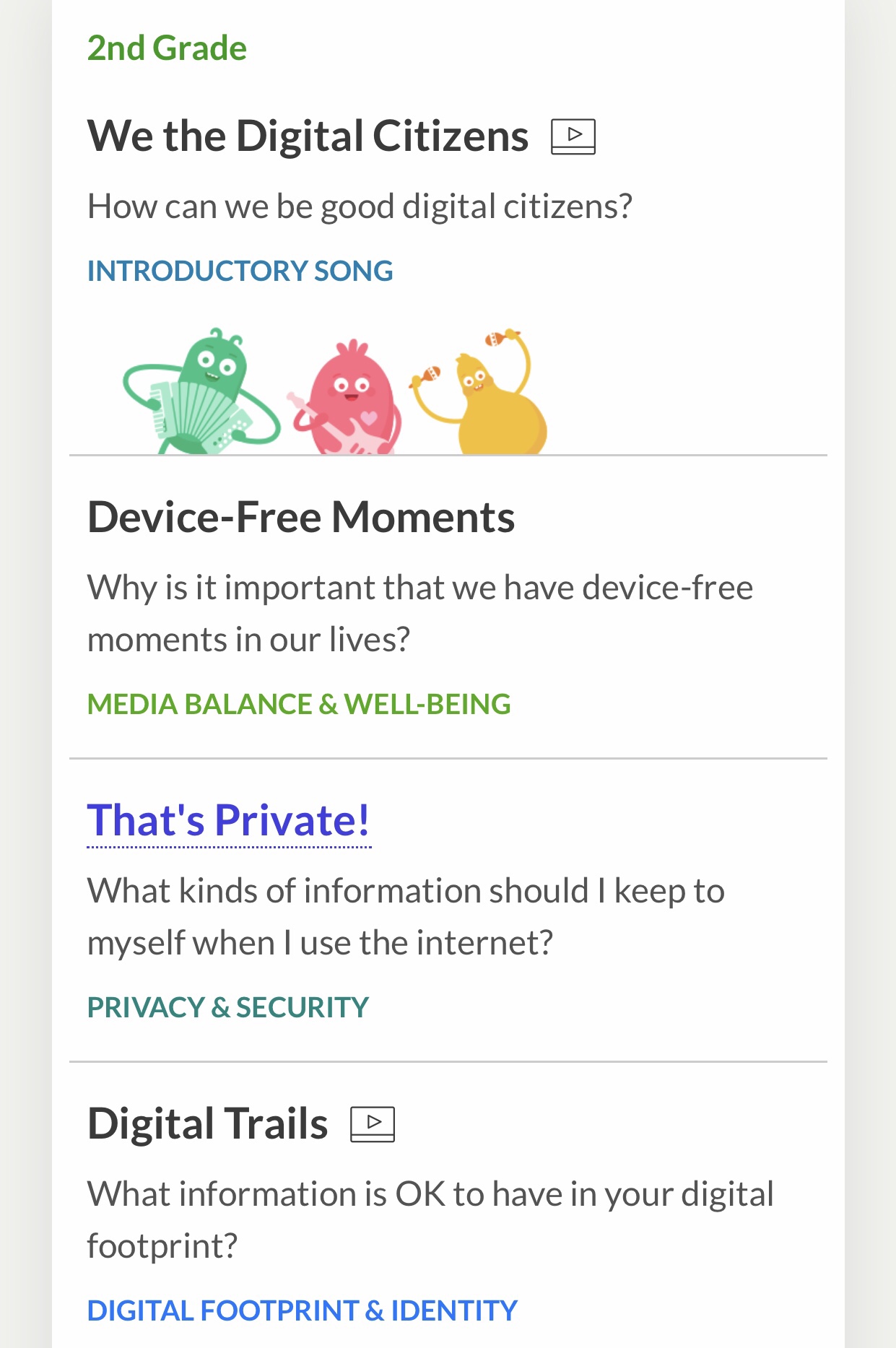
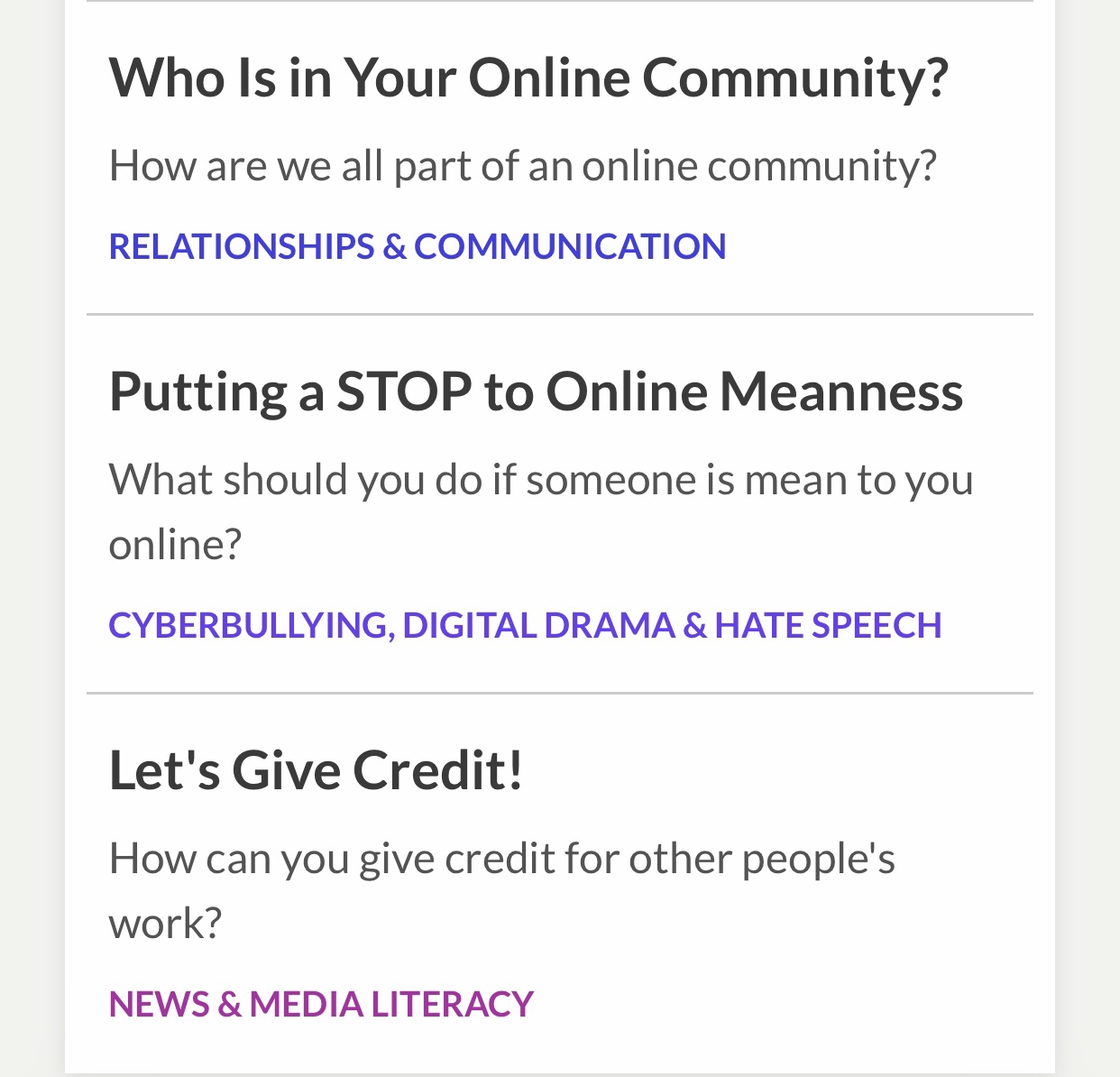
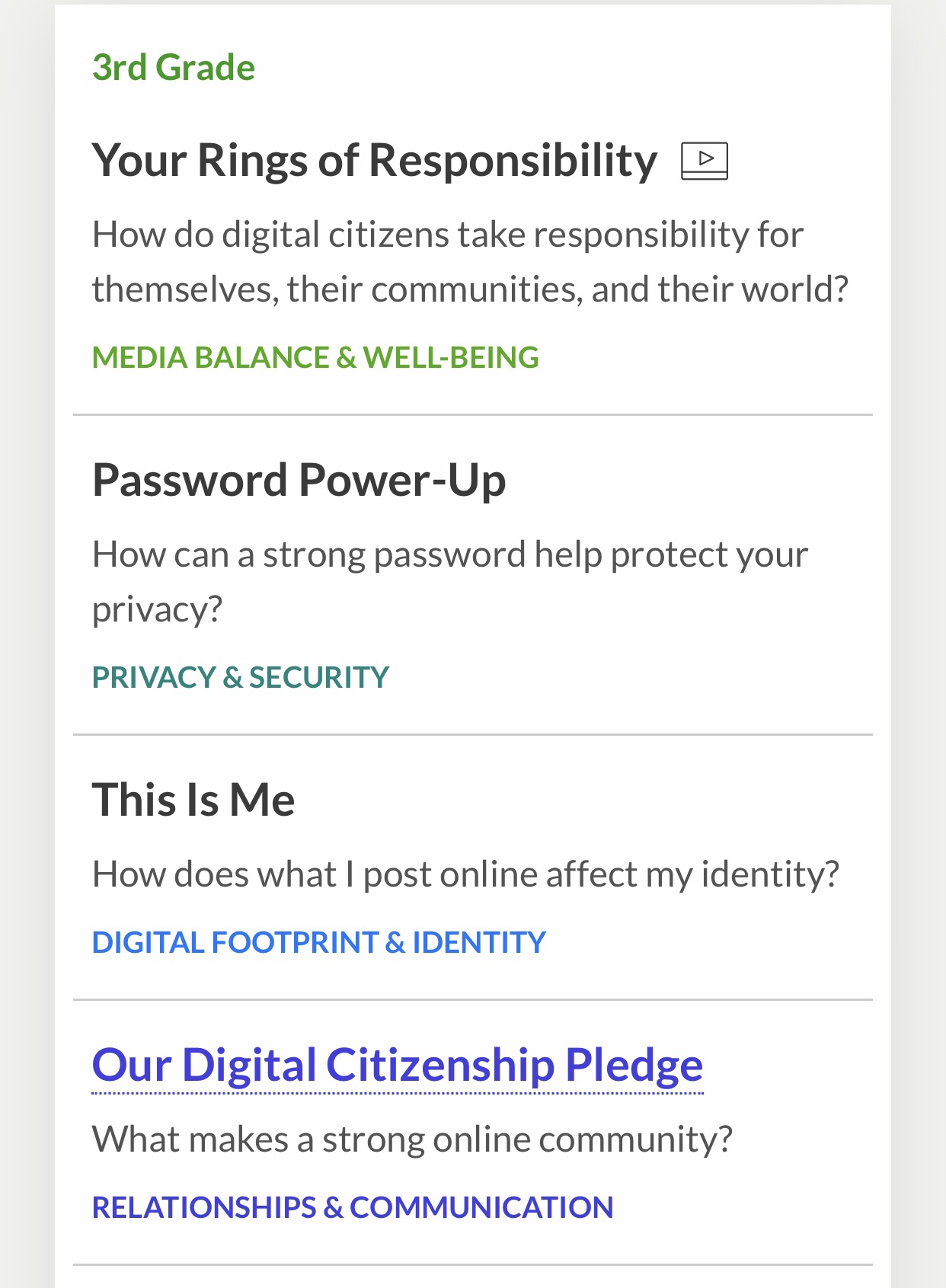
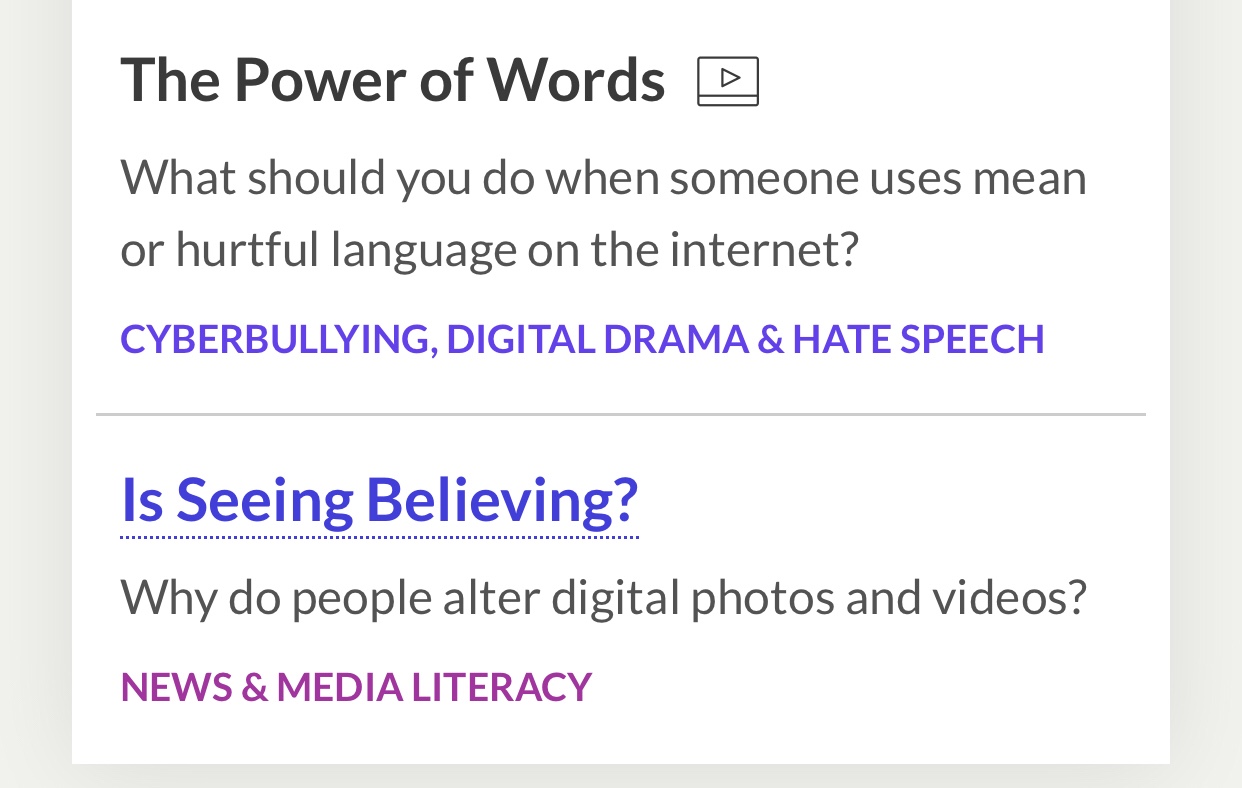
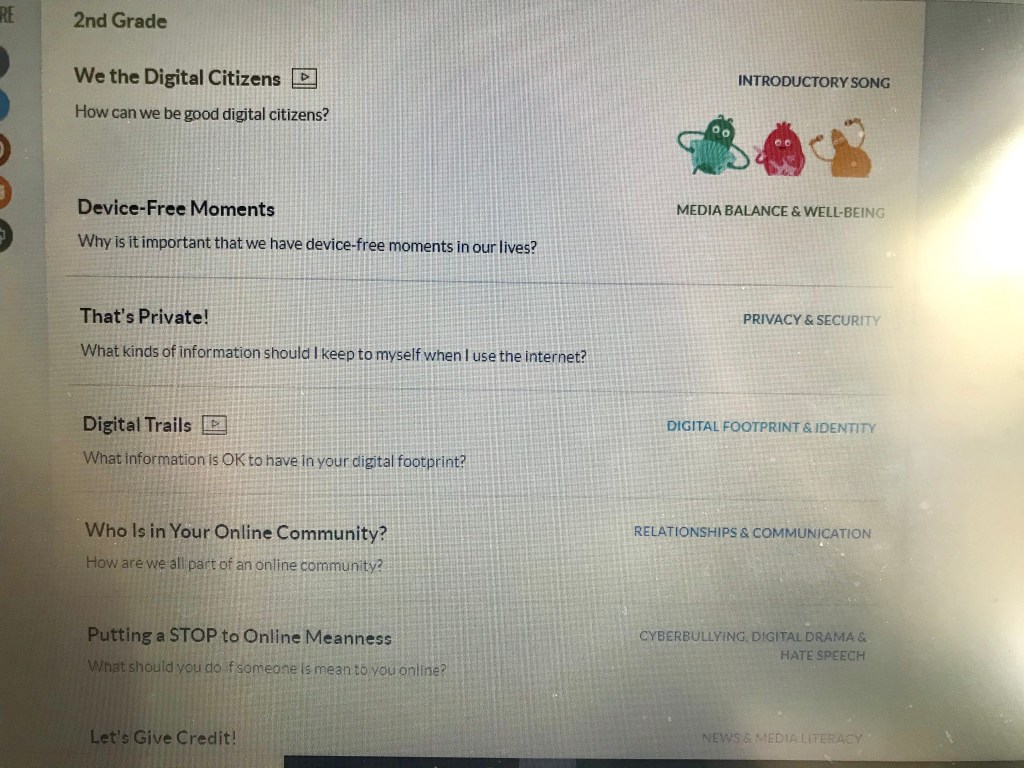
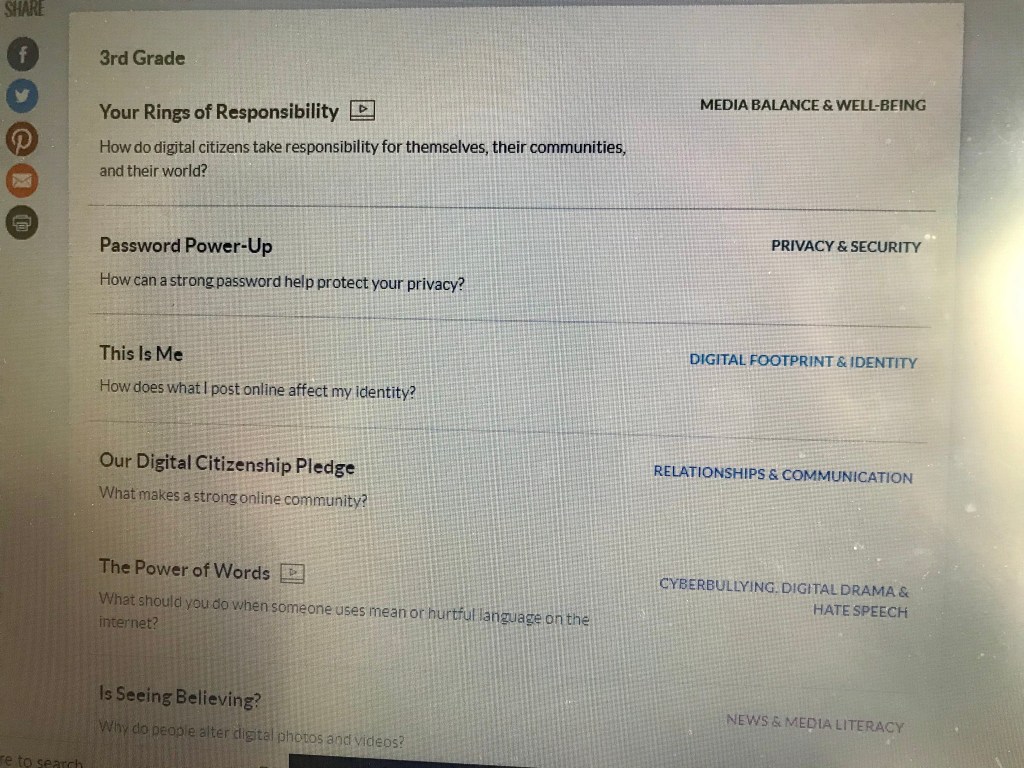
My next update came with learning about implementing digital citizenship. I never realized how easy it is to implement digital citizenship and media literacy into my everyday teaching. I explain in my blog post about adding implementing Common Sense Media resources into my teaching. I wanted to record myself teaching a lesson from Common Sense Media. I really like the topics they have for second and third graders. It is very easy to access and understand. They make it so easy for educators to follow along and engage the students. I sent this resource to my colleagues and recommended they try it out as well. It is full of great lessons that relate to the students age.
I had started teaching these lessons to my students before schools had closed. I am thankful for the conversations we had and really hope that it stuck with them as they are spending lots of time now on devices at home. I really wish I would’ve started earlier so my students were more equipped for this time. I learned how important it is to embed these lessons into my teaching throughout the whole year and to be having conversations around digital citizenship. I didn’t get as far as I wanted to using this resource in my class but have sent it to my families on Seesaw and hope they will explore it with their children. I was not able to record my teaching and discussions as I had wanted to. I look forward to next year using Common Sense Media in my classroom and sharing it with my coworkers.
I decided with this new learning to create a layout of a Year Plan to implement Digital Citizenship throughout the year. I looked at my year plans and units I do and chose where each topic would fit best. Of course these conversations will be happening throughout the year but I wanted to make a layout to focus specifically on certain topics. I created a table to show how it connects to the grade two and three curriculum. Please check out my Digital Citizenship Year Plan here. It converted to a PDF kind of wonky. I tried to insert it in a here a few ways. I hope it works. I also decided in helping my coworkers and classmates to make a document that shows the curricular connections to teaching digital citizenship in the classroom. I created a document that shows kindergarten to grade five outcomes connecting to digital citizenship topics. These topics/themes are similar to how Common Sense Media breaks up digital citizenship. Please share!
My last blog post update regarding my Major Project was when schools were shutting down and we were all in a heightened state. This was before I had known how much things were about to change. This post has a lot about where I am at now and I will now expand on where I have gotten. I still had high hopes to thoroughly look into each app and I have done some exploring. With the circumstances of life right now and focusing on teaching online I have not done an in depth review of each app. I will share what is on our iPads but focus on what I am using while teaching from a distance. I will mainly share my experience with Seesaw as that is the main platform I am using for teaching now. My goal was to dive into Seesaw while my pre-interns were teaching. They got to teach for a week and I got to explore and get students logging in to their own accounts and try some of the activities I had been playing around with. What perfect timing as the next Monday we were told we were shutting down. I believe time is a huge barrier for educators learning to use new tools and apps. I really hope the time we are in now will allow professional development for all educators in the resources and apps we have access to.
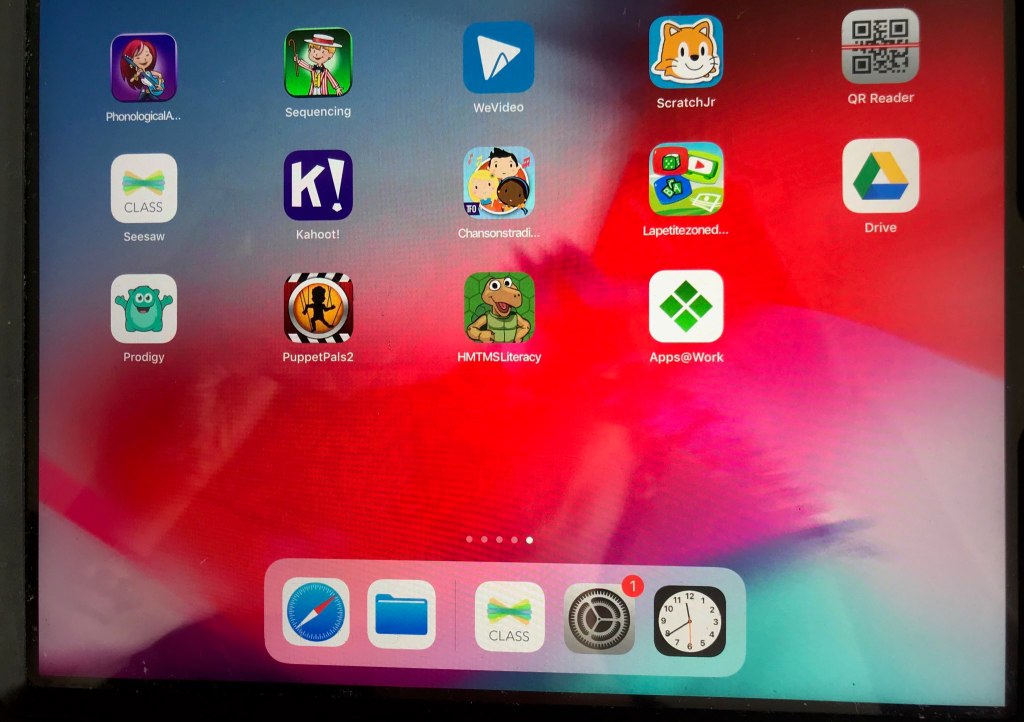
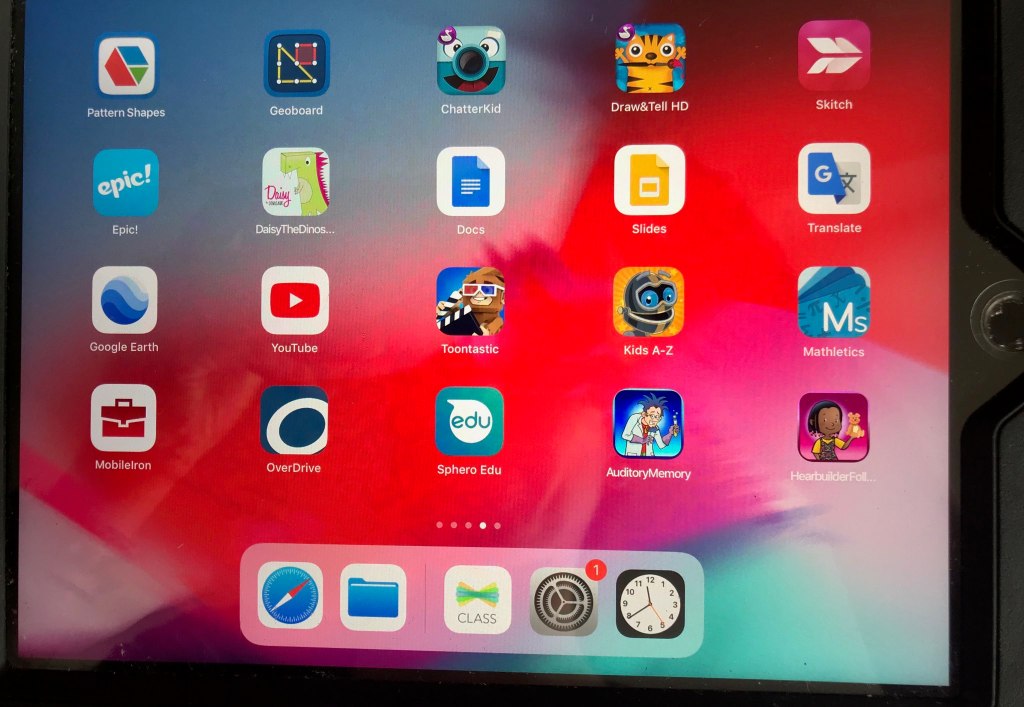
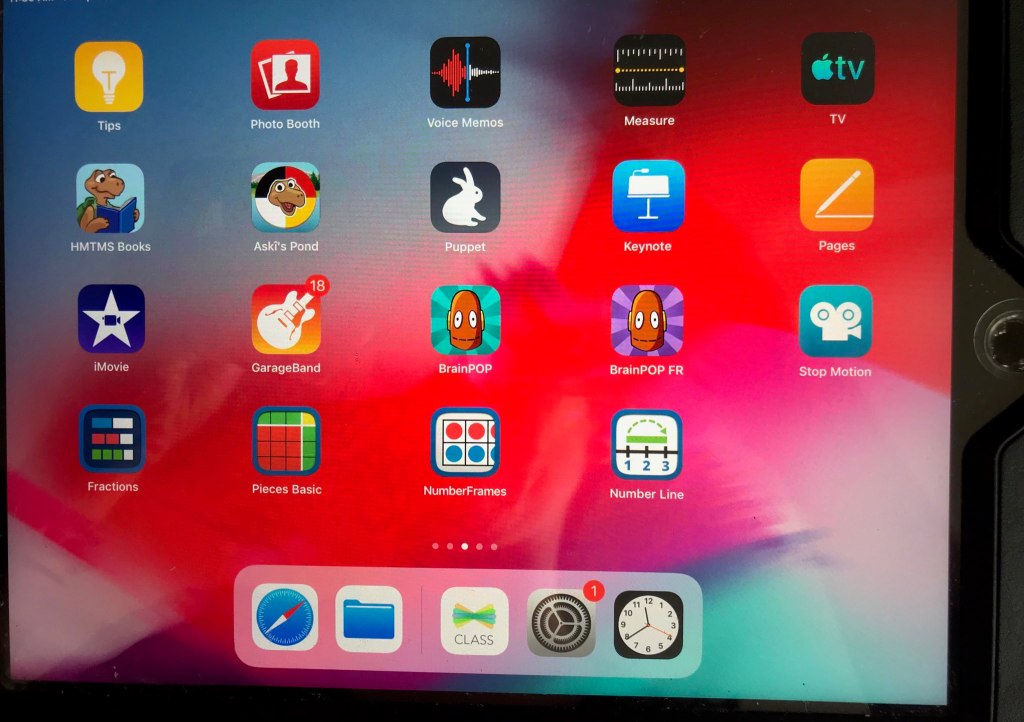
Below I have put pictures of the approved apps on my classroom iPads. I have played with many of them but would like to continue to learn and keep this journey going so I can properly use them effectively in my classroom.
I have compiled a list of the apps and their purposes. Now having a bit of knowledge of the benefits of the apps, I am excited to be able to utilize them and feel confident that they are effective for learning. I hope to dig deeper into them when we are back in the classroom!
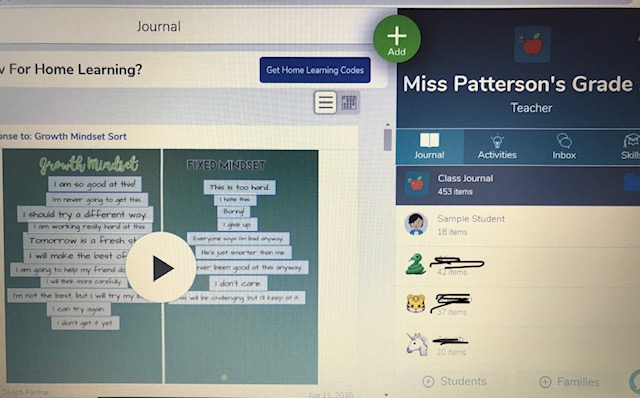
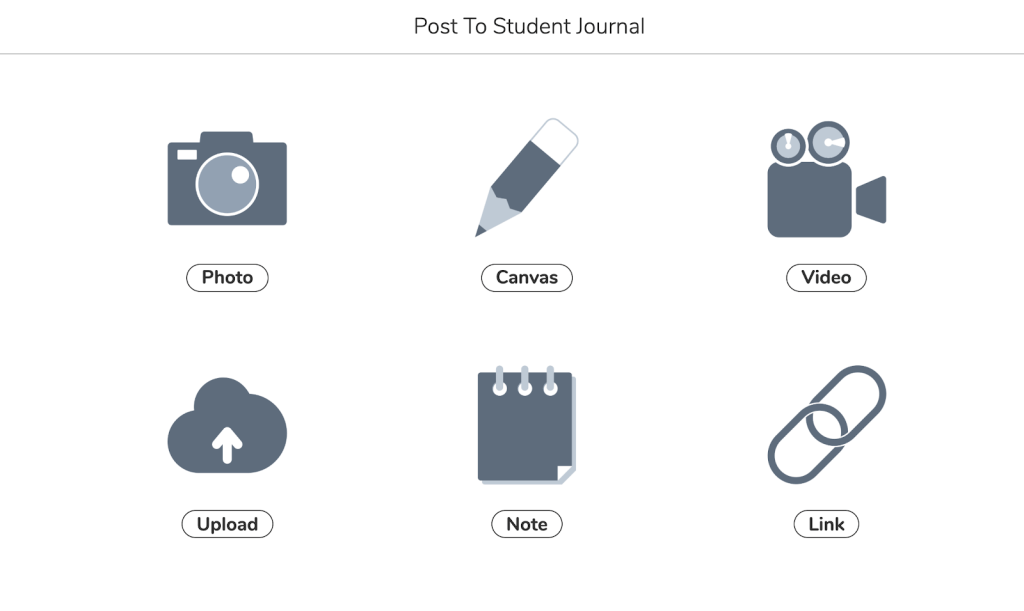
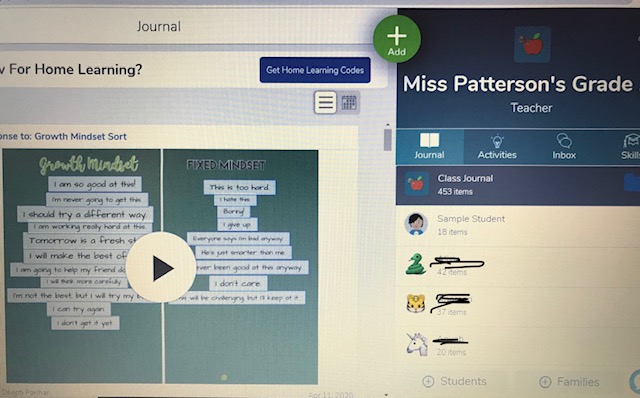
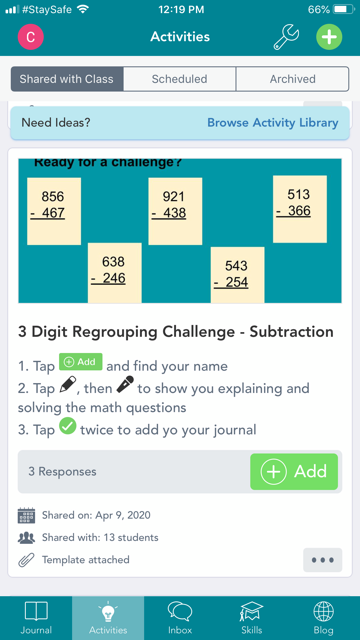
Seesaw is an online platform for educators to use within their classroom. Students are able to creatively show and represent their learning. Their families are able to connect with their ‘journal’ and celebrate learning. It is a great resource to assess and track students learning and have them take ownership and responsibility for their learning. It promotes student and family engagement. Seesaw gives a variety of ways for students to demonstrate learning in a portfolio. (video, audio, pictures, drawing, etc)
How is Seesaw an Educational Tool?
Seesaw was created for educators to engage students and families in the classroom learning. This learning can be expanded, shared and assessed.
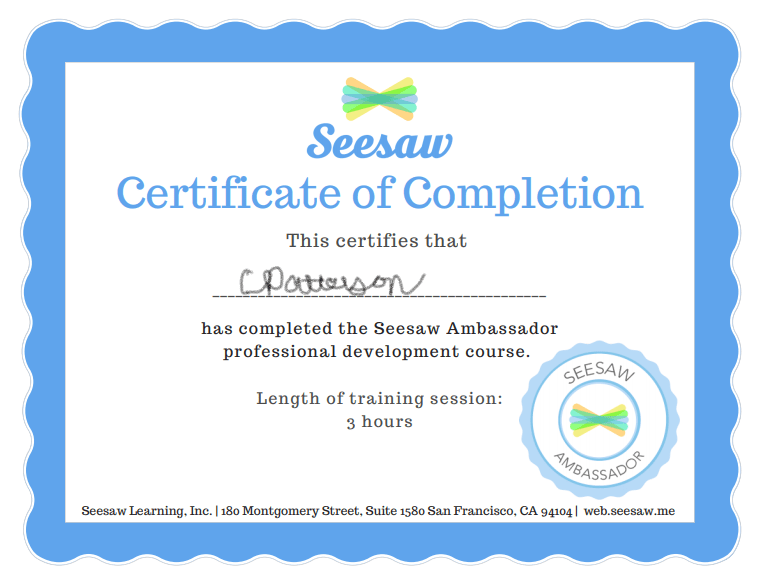
I have become a Seesaw Ambassador! The best way to learn and understand the app is to go through the training so I can help others learn as well. I also got upgraded to a paid account so I could really explore the benefits of having full access. I am very excited to continue to learn about Seesaw and keep creating and sharing my own lessons. I recommend all teachers to become a Seesaw Ambassador if you are using it for online learning.
I can not imagine just downloading Seesaw for the first time and having to use it to teach online. This is the case for many teachers who were not already connected to families and using Seesaw. I have been helping a few teachers get set up and been available for questions as I have learned and implemented lessons on Seesaw. I had to learn quickly the features Seesaw offers that I hadn’t looked into previously.
I never thought I would become an expert (using that word lightly) in Seesaw so quickly. I have learned how to create my own lessons, about the features and the security. I feel very safe using Seesaw in my classroom.
In the Ambassador training I learned Seesaw is safe to use:
Seesaw will never sell your data or student data.
There’s never any advertisements.
Seesaw doesn’t own the content you add.
Students work is private to the classroom by default.
Seesaw uses the latest security to protect you.
Seesaw is transparent about their practices and notifies you if things change.
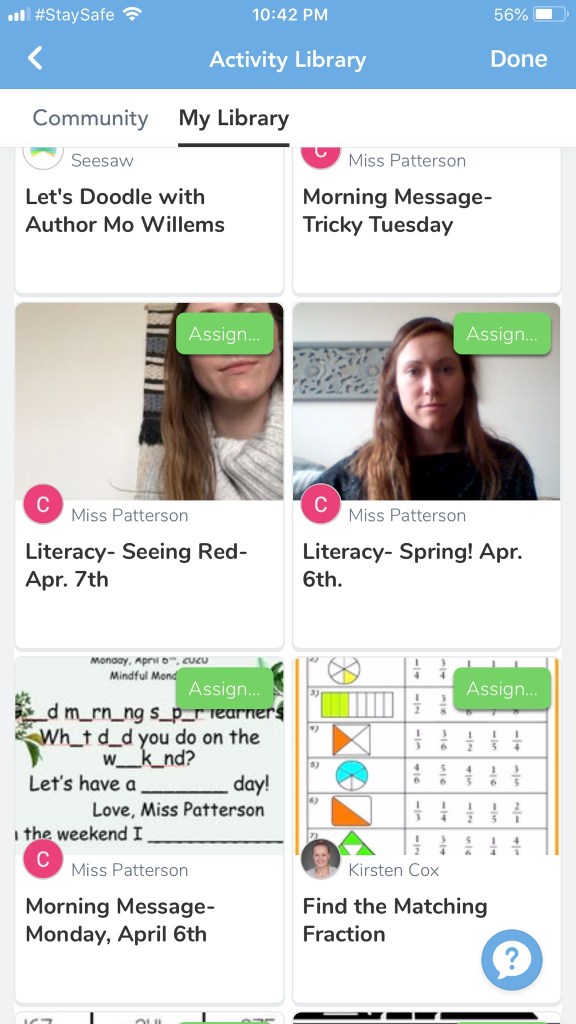
The free version of Seesaw has many great features but also some setbacks. In the paid version called Seesaw Plus, you can have up to 20 teachers connected to your class. In a time like now that allows all itinerant teachers to send lessons to students as well. In the free version you can only have 2 teachers connected to your class. In the paid version you can have a ‘school library’ to collaborate and share lessons with teachers in your school. That is not available in the free version. In the free version you can only have 100 activities in your own library. This is what made me panic as I am sending on average 5 activities a day. When you have the paid version you can have unlimited amount of activities in your library. In the paid version you are also able to assess skills and attach outcomes to track students progress. Another big part of Seesaw plus or Seesaw schools when the whole school has it is that the students journal stays with them each year. They have a new journal for their new grade or teacher but they can look back and see growth over years. For teachers this makes it easy to transfer students each year and have their families already connected. This way you don’t need to send home the information each year. For example, I had a paid account at the beginning of the year somehow and had all but two families connected to my class by taking them from their previous teachers. My trial ended and I had to send home the handouts many times and create a new class. Students who teachers had worked very hard on getting the families connected had to start from the beginning again.
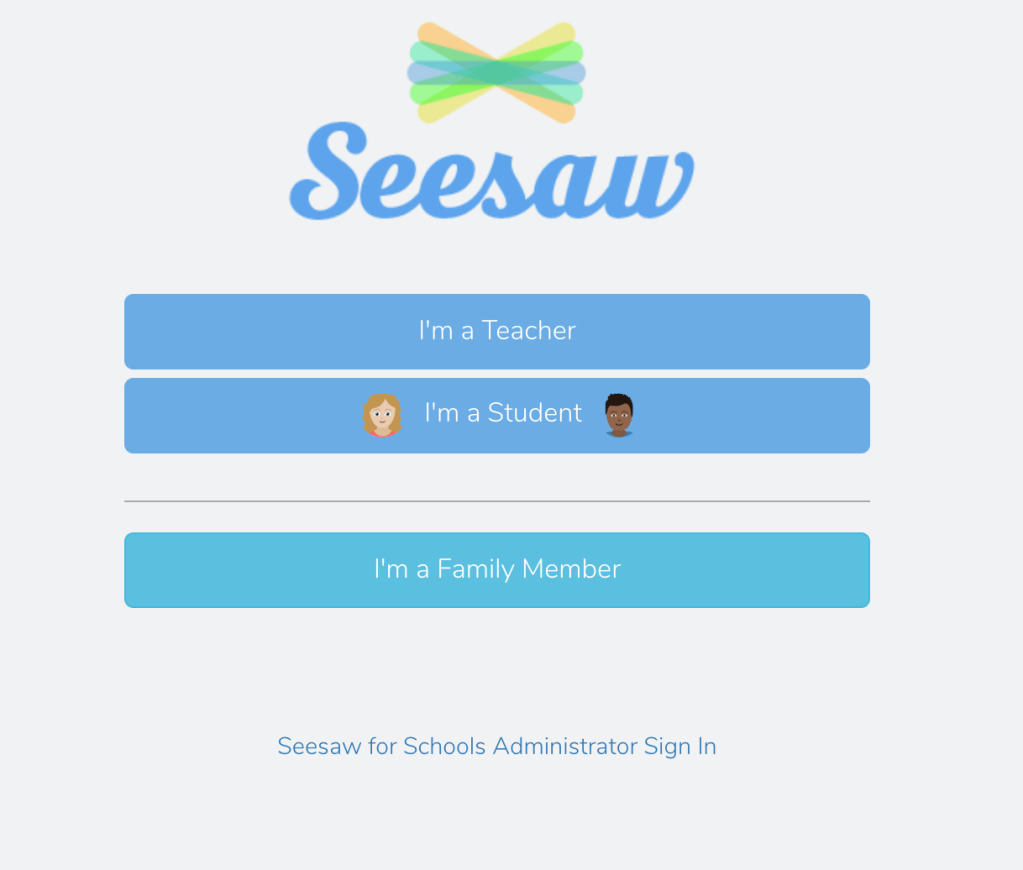
Sign in Page
Highlights/Benefits/Pros of Seesaw
Differentiating for students- You can choose what you to send to specific students. Great for split grades. Able to create lessons and personalize them.
Scheduling lessons to come out at a certain time- Teachers can prep lessons and activities for the week and choose when to assign them and have them appear for students.
Students take pictures of their work and own what they want to share. Easy for them to be independent in their learning.
Families are able to be apart of students learning and see what they are doing in class. They can connect and celebrate learning.
Families can communicate with teachers.
Students demonstrate learning in a variety of ways. (recording, video, drawing, writing, etc) They can easily expand on their learning and show their personal understanding.
Security/Privacy
Huge Library of activities/lessons already created by other educators. You can search any grade and topic.
Able to attach outcomes to assignments and assess ‘skills’ and progress of students.
Easy to use and understand. Teachers are able to make their own lessons/activities. They can share instructions by audio or video for little ones who aren’t able to read yet.
Able to use on most platforms. (Android, iPad, iPhone, iPod Touch, Kindle Fire, Chrome)
Cons/Downfalls of Seesaw
Not being able to video or teach live. (I’m dying to see my students and video chat with them)
Students not being able to communicate with other classmates. (found the best way to have students be able to communicate is post something to all their journals so they can comment)
Most teachers are using free version.
Confusion of two separate apps. ‘Seesaw Class’ for Students and ‘Seesaw Family’ for families.
Students are not able to search activities on their own.
Seesaw is very beneficial for learning and I would highly recommend elementary educators to use it in their classes. I am continuing to learn during this online/distance learning time. I hope to become more efficient in using Seesaw and am excited to see the benefits of implementing it into my classroom when we are back in schools.
Unfortunately I have not been able to show my learning in the ways I had pictured. My journey was all over the place and constantly changing. I get new ideas and get excited to try new things. I always struggle to narrow down what I want to do for a project. It was a big learning process that I will keep building on and learning from.
I say this journey has not come to an end because it will always continue. It is just the beginning of understanding the importance of digital citizenship and implementing it into my teaching. I am very excited to continue to implement what I have learned next year and as I am teaching from a distance. I’ll say it one more time how grateful I am to have taken this class at a time like this. It has opened my eyes and my mind to so much greatness out there and how positive technology can be. Thank you to my wonderful, supportive classmates I have learned alongside. For being so helpful, patient, and knowledgeable. Lastly, thank you to my prof for the rich conversations and a teaching style that has been so open to letting us take our journey in a way that connects best to us! Thank you, thank you, thank you!
Writing about this topic I still feel like I know very little. This is a very big topic I feel like I have not been educated well on before this weeks class. This class has made me so grateful to get to learn each week and feel every educator would benefit greatly from what is taught in #eci832. Without this class I would be a lot more lost then I already am. We have said it before-what perfect timing this class has been. #blessed 🙂
I really don’t know if I am using resources properly. Not only technology but worksheets and books as well. As I have been planning for online learning I am now second guessing or looking into if I am being ethical in what I am presenting my class. The past few weeks educators have been anxious and in a heightened state trying to navigate and wrap our heads around this new normal. It is hard to think straight in this state and the last thing on my mind has been this topic. It wasn’t till our class on Tuesday and the videos and readings before that I had thought about the legal issues surrounding what I am presenting to my students and the way we are interacting online. Following our class, our board put out a list of approved and non-approved technology and media to be using as we work from home. Zoom has been the talk of the town and many teachers had planned to use this platform to teach kids and have them be able to see each other and interact. Our school board put out that Zoom is not approved due to privacy of kids. I understand the reasoning especially after our class discussions. I am still hoping to find a way to be able to see and talk to my students. Students and teachers are craving this type of interaction. Many educators looked into training for Zoom before they knew it was not approved.
My classmate Shelby explained the feelings we as teachers have surrounding our new adventure of online teaching. We have many questions and worries while planning for this. It’s a scramble to put work together and learn how to use new platforms. I have found collaboration being key in navigating this. I have a strong teaching team that supports one another and helps each other in our learning.
In class we learned of examples of teachers being ‘caught’ like in Manitoba surrounding ethical issues. I really can’t imagine teachers purposely trying to steal other teachers work or not protect students privacy. There are many issues teachers need to be aware of. I am being very careful now with what I share with students online. I have been making lessons on Seesaw and had plans to attach worksheets but am now making my own. I have also been learning more about Seesaw while primarily using it to do all my teaching. Seesaw never uses students data, they don’t own anything you add and take privacy very seriously. I have been taking the ambassador course that explains in detail how careful they are when it comes to these issues. I feel very safe using Seesaw as my online learning platform. We discussed in class reading stories online to students. I have had many conversations with colleagues about this. We have been only putting our read alouds on Seesaw. Some teachers are using YouTube and running into problems even if they have authors permission to read their books.
This is such a broad topic and has been a big part of learning during this teaching online time. The fair dealing decision tool has been a big help in looking into the resources I am wanting to share. I want to continue to learn more about this topic and be able to share with my colleagues. This time in teaching is a big learning curve for many educators and its hard to bring in all the issues surrounding moral, ethical and legal issues. It is so important that school boards are keeping educator up to date on all these issues so teachers don’t run into problems. Teachers are trying their best right now to deliver quality education from their homes. It is so important to protect our students and teachers during this time and ensure success for all!
Well as the world around us has quickly changed, many changes will have to be made to my major project as well. As my major project has evolved and changed over this learning journey, it will have to change some more.
This week has been very hard and it has been difficult to focus on this class with the loss of so much and so many unknowns. It has taken time to process the shock of schools closing and what is going on around us. Having your passion and purpose gone for an unknown time is not easy. I am missing my students very much. But I have been very thankful that I am in this class right now. What better class to be in as we as educators are all looking to what online learning and distance learning is. This class has prepared and pushed me to look into so many online resources and tools for a time such as this. I have already learned so much from this class that I can use during this time.
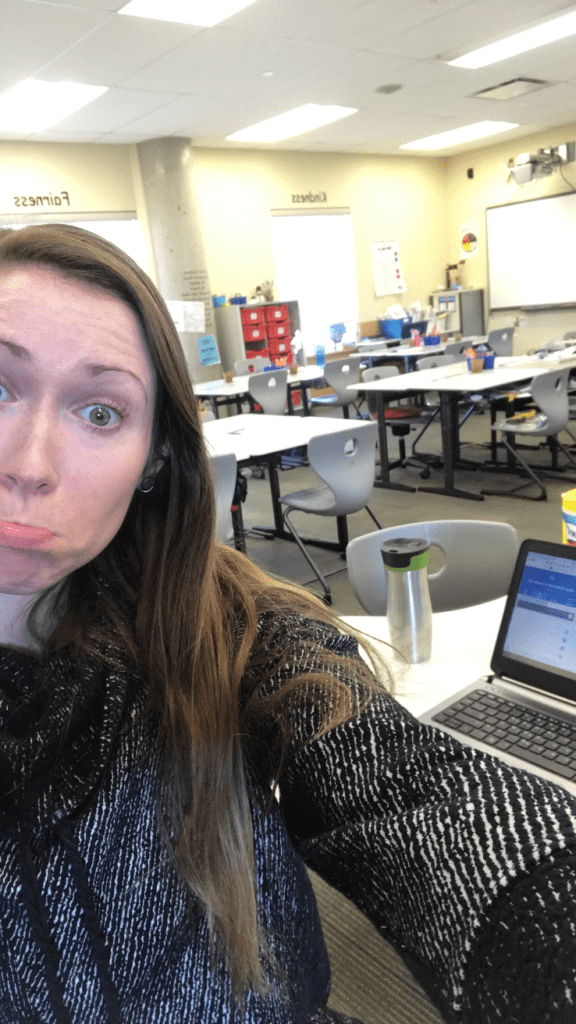
Empty classroom= very sad teacher
I am grateful I got to implement some of the resources I have been looking into as now students are more digital citizens then ever before. I am sad we did not get to finish the unit but am looking into how I can still attempt to complete it. A part of my major project was to implement Common Sense Media into my teaching and teach a unit from there. Unfortunately many of my students do not have access to technology at home. This makes it difficult to implement online/distant learning for all. They may not have any devices or wifi at their homes. This makes it unfair for students that do have access to technology. Right now many of the students and families where I teach are not going to be worried about homeschooling. They are worried about where to get food, how they will pay bills, etc. I do not want to overwhelm them with assignments for their seven year olds. As we get direction from our school board as to what school will look like for the next while, I will update how that affects my project.
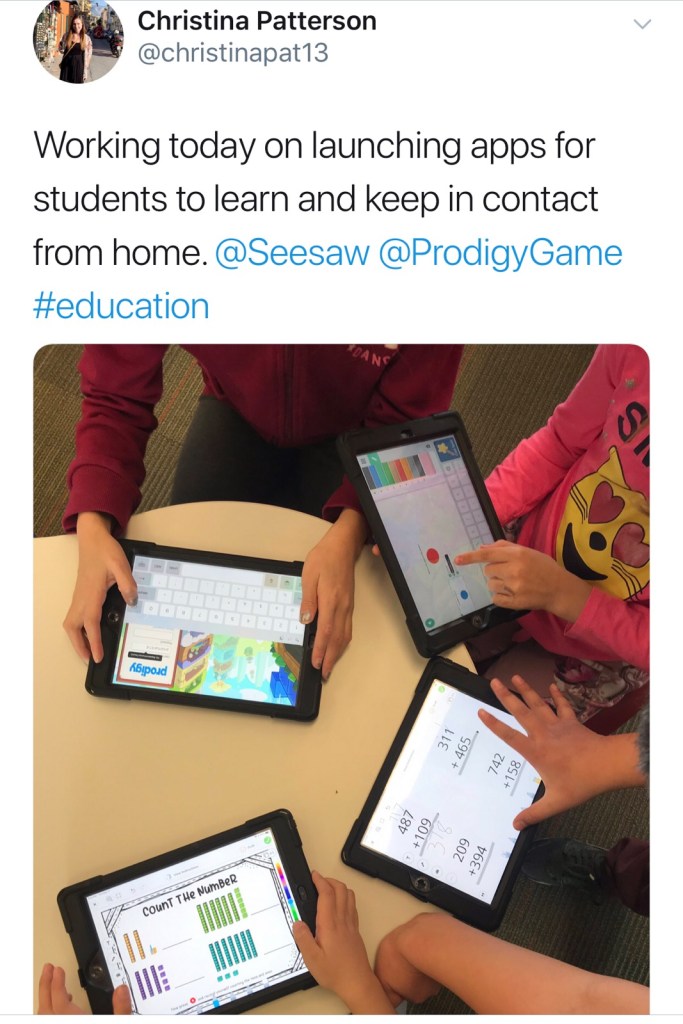
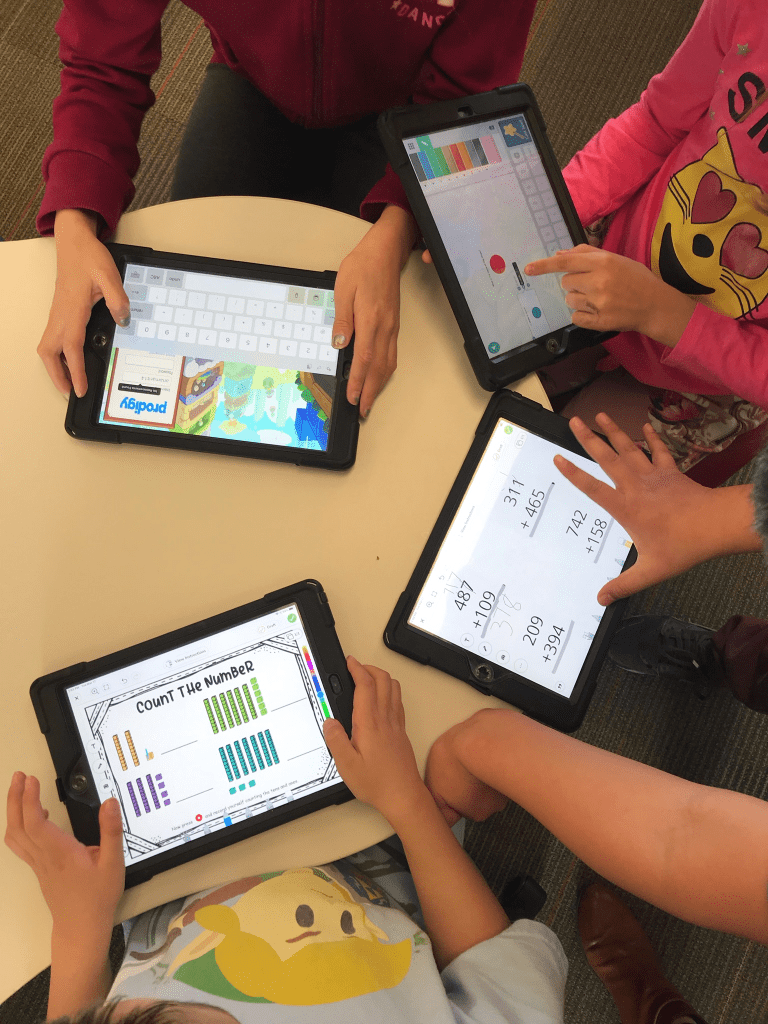
A big part of my major project was to look into Seesaw and utilize all it’s features better in my class. What better time then now? I have worked hard to get all students connected to Seesaw but again that is not the reality. I have learned a lot about Seesaw in the last week during the panic of schools closing and wanting to be able to stay in touch with students. I have been giving assignments every day and sending morning messages. I have had less then half reply. I will continue to learn and work on Seesaw and create lessons as part of my project and because I want to be staying connected to my students and families. This will become a big part of my project. I also provided all students access to Prodigy before schools were shut down and have them playing math games on there. I am very glad we practiced logging on to these two apps/sites before leaving school.
Practicing using Seesaw and Prodigy
Another part of my project was to look into educational apps that are available in my division. I have brought an Ipad home and plan to look at all these apps in more detail and share about them. With this extra time I have a plan to explore them and hopefully get to share some of them with students who are connected on Seesaw.
I am still trying to figure out exactly what I want this to look like and what the final project will be. As this has been a journey and evolved over time I am sure it will continue to change as I keep learning!
Any ideas on how I could present my learning in a clear, easy way? Overview of apps?
Please leave suggestions below! Thank you for reading, #eci832! 🙂
Are you media literate? Do you teach your students to be media literate? Do you even know what it means to be media literate? All very valid questions. Let’s learn together as I dive into the meaning and importance of being media literate.
How can we become fully media literate? Renee Hobbs states in an interview by Blumberg that “digital and media literacy is an expanded conceptualization of literacy.” She continues to says that there are five inter-related competencies that both teachers and students need to understand media literacy and be applied in many areas to being a lifelong learner.
Access, Analysis, Create and Collaborate, Reflect and Take action.
Hobbs says we need to be able to teach student at all ages to connect these 5 inter-related competencies. When I think of these skills I think of when we teach children to read we use strategies to help them comprehend what they read. We want students to be able to interpret what the author is saying. We intertwine these strategies to every subject. The conversation of being media literate needs to be connected in all subjects as well and embedded into the school day. Literacy is not just traditional reading and writing it also expands to all media that people take in.
In the video series Introduction to Media Literacy: Crash Course Media Literacy #1, they state that the average adult spends up to 10 hours a day consuming media. This includes listening to the radio, watching a series on YouTube, listening to a podcast, watching TV, and scrolling through your phone. That is a huge chunk of your day. So sending kids out into the world without proper skills to navigate all this media around them would not be wise. This media that is consumed has a significant impact on humans all ages. Educators and students need to understand that media is more than news. It’s books, films, articles, flyers, video games, podcasts, poetry, etc. We spend a lot of our time interacting with some form of media. We must teach students to therefore be media literate. Students need to be able to comprehend what they are consuming.
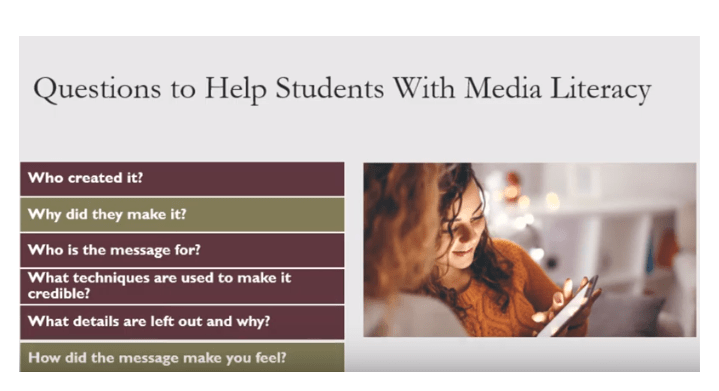
Brad and Shelby’s Video explained Media Literacy education. Educators need to teach students to be critical thinker in everything they read all around them. Brad and Shelby provided information about how we as educators teach students to interpret and create all types of media. They share a list of questions to help students with media literacy.
All students need to be able to use comprehension strategies to understand all media literacy. In primary literacy we teach students comprehension strategies to help them understand what they are reading. Comprehension is just as important as students being able to decode words and read fluently. In a reading assessment, a student can read fluently and know all their phonics but if they don’t understand what they are reading they are not at that level. We ask students questions after they read a book in a reading assessment that go deeper and make them think about the meaning of the book beyond the text. In this same way we should be educating students on media literacy to be able to break down and understand what they come across online.
Asking questions, activating prior knowledge, predicting, making connections and inferring are among a few of the comprehension strategies we teach students. These help students to think about what they are reading and dig deeper. We need to connect these strategies and implement them while teaching students to be media literate as well.
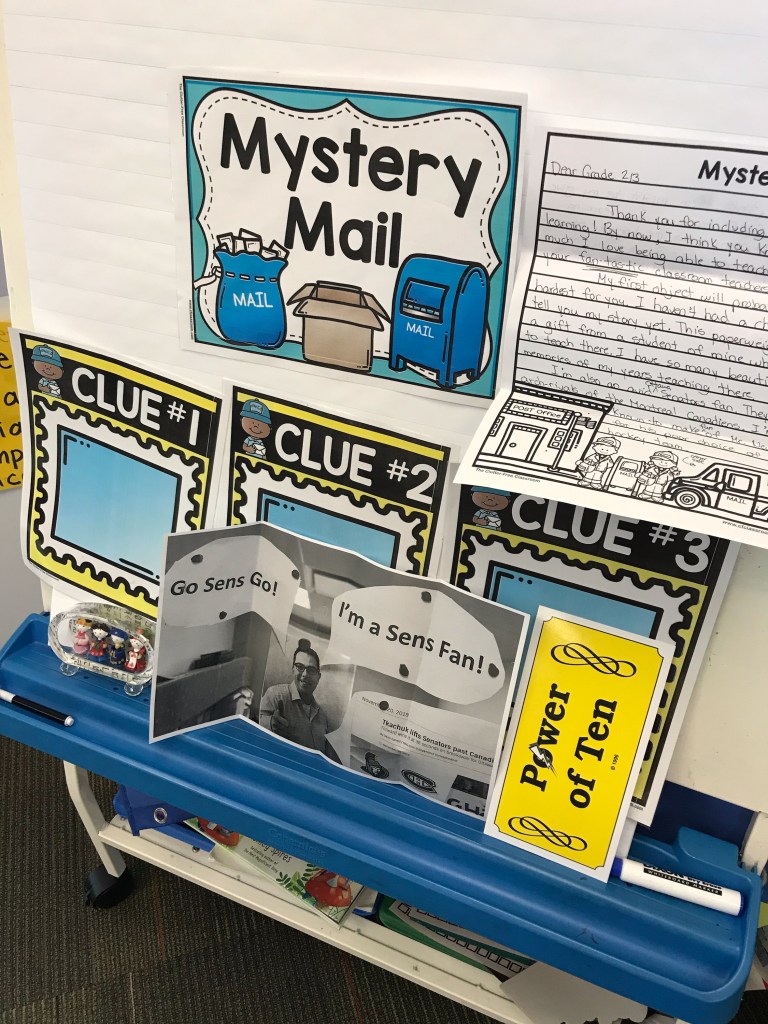
Inferring is my favourite comprehension strategy to teach. Essentially we want students to be able to ‘read between the lines’. I do all sorts of fun activities to get students thinking about what the author could be saying without saying it. We infer throughout many of my lessons and little activities during the month I focus on it. For example, I do a Mystery Mail where staff in the school put together a letter to my students with three clues. Students have to use there inferring skills (or ‘detective skills’) to figure out who it could be. This is building critical thinking skills. In the same way I feel it is important to implement media literacy into these conversations with students.
Students need to be like detectives in the digital world and think critically about what they scroll across. It is essential for educators and schools to guide students in learning how to ask these questions and think about all the media they are exposed to so they can comprehend it and become media literate. For students to be media literate they need to be able to comprehend and think critically about what they are consuming.
Blumberg, F. C., Hobbs, R., Division of Psychological & Educational Services, Fordham University, Harrington School of Communication and Media, University of Rhode Island, & Media Education Lab. (n.d.). Media Literacy for the 21st Century: Interview with Renee Hobbs, EdD. Retrieved from https://www.apadivisions.org/division-46/spotlights/renee-hobbs
This weeks class about what roles schools and educators should play in teaching digital citizenship really got me pondering. I thought about the importance of digital citizenship within our schools. It seems so obvious that this should be taught and be an ongoing conversation with students. But why is this the first I am learning about it? I have been teaching for seven years and have never thought about the importance of implementing digital citizenship into my classroom. This is all new language for me and as I discuss with coworkers, we all agree we need professional development in this area. How are we so uneducated in such an important topic?
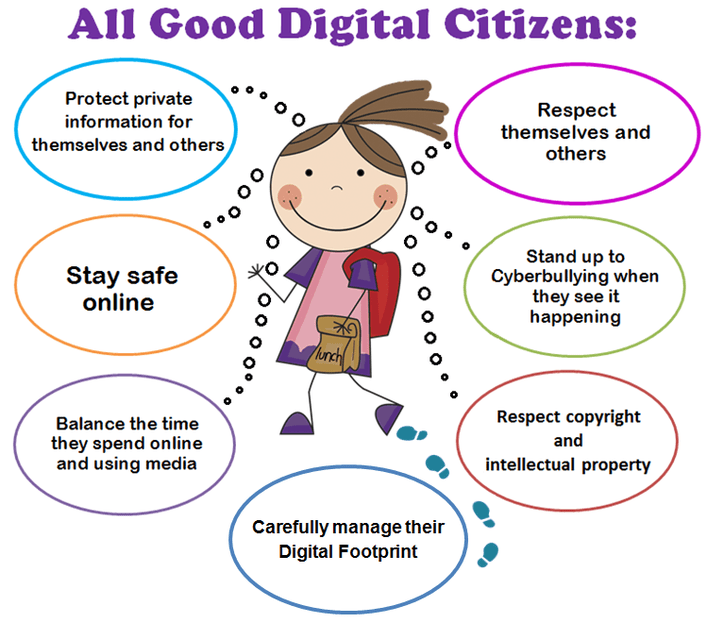
Digital citizenship is an important part of education. Students are growing up in a digital world and need to know how to navigate and understand it in a positive way.
This week I was inspired to have conversations with my students about digital citizenship and I have started to implement Common Sense Media resources into my teaching. I was very surprised because of my lack of knowledge with how easy and fun it is to use this resource. I have decided to add using this resource as part of my Major Project. I will go through each lesson with my students and write an overview about how the lessons went and assess my students learning. Common Sense Media is set up in a smooth, easy way for kids to understand and have fun learning about being a digital citizen. There are many ways to connect all the learning to being a good citizen in all areas of our lives.
So far in my classroom we have identified and been able to describe what a digital citizen is. I like how each topic has a goal of what students will learn throughout the lesson. We have been able to connect our learning to our friendship and bullying units in February. It has been a smooth flow to now talk about how we make good choices online. We’ve discussed balancing our screen time and taking time to play outside. Students shared time restrictions they have at home with technology. My students have a good understanding of a healthy balance of screen time and everything else. I am enjoying teaching digital citizenship as it is something very new to me and my classroom. I am excited to continue to have conversations and learn along side my students using this resource. Schools play a crucial role in teaching digital citizenship to students. Most parents may not know what a digital citizen is or have any resources on how to talk to their children about navigating the digital world. I think so much about my students who have families who don’t speak English and would have no idea what their children are looking at or doing online. We have a very important job to educate students at a young age about digital citizenship.
Reflecting on digital citizenship within my school, I see there is a lot of work to be done and growth. This looks different in each grade. As a stated before, my coworkers all agree we need more professional development in this area. Most teachers I have talked with don’t know anything about digital citizenship and do not feel comfortable teaching it. It’s not easy to take a risk and teach something you do not have knowledge about. I have shared some resources (particularly Common Sense Media) with coworkers and have encouraged them to use it. Once I actually go through each grade 2/3 lesson and teach it, I will be able to share more with my coworkers as I am just learning as well. I envision being able to share what I am learning in this class with my collaboration room of primary teachers. I will definitely be sharing Digital Citizenship in Saskatchewan Schools with my colleagues. (How did I not know this existed!)
An update on the rest of my Major Project
I have continued to learn about TikTok from middle years students at my school. It has been very interesting learning about the dances and all the trends. Now when I am out and about, I notice kids doing all these dances and can recognize what they are from. I still have lots to learn about it and will continue to update about it.
Regarding wanting to do an overview on the suggested app Showme, I have filled out an application form to get it out on my Ipads. I am waiting to hear back if it will be approved still. It looks like a lot of fun to be able to record myself teaching and put it on the projector. There are lots of educational benefits for students. If they missed school they can go watch the lesson independently on the iPad. There are also many lessons educators have created that one can show their students or have them watch independently. I haven’t learned as much as I’ve wanted or been able to create my own lessons because I am waiting. Fingers crossed the app will be put on my classroom iPads before the semester is over.
I had changed my Major Project to exploring apps that are already on my classroom iPads. This has been beneficial in my teaching practice. Students are enjoying being able to try out apps that are not just for reading. The biggest barrier has been in class time for students to be able to explore and for me to implement and give them time on the iPads.
I am planning on focusing the next few weeks on learning more about Seesaw. I have been using it to communicate with families and share what we are doing in our classroom. I haven’t done a good job in exploring the student features within the app. I really plan to dive into it and implement while my pre-interns are teaching for the next three weeks. YAY, time to explore!
In what feels like a short period of time, my thoughts on the digital world and implementing education surrounding it has drastically changed. I am thankful for the learning I have received and am happy to continue this journey!
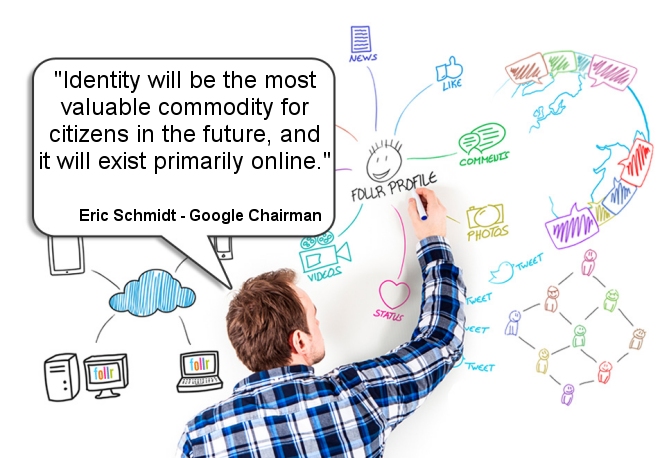
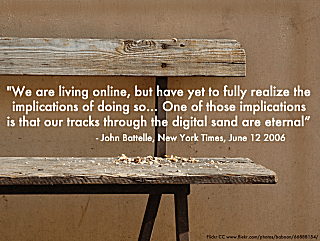
It is important to teach students at a young age to understand that what they post online will always be there. What they post online may become part of their identity. We know that the majority of people post their ‘highlight reel’ which causes others to compare. Teens may try to create a perfect look. They can be whoever they want to be online.
Students can hide behind a screen. They may feel empowered to be who they want to be. They may be more confident online. As I have been exploring the app TikTok as part of my Major project, I have been surprised with observing students in my school on it. Some students that I know are more shy, really came out of their shell and surprised me while showing me dances and their profiles. Others were embarrassed to show me their dances. They all thought it was very funny that I had an interest in it. Each of the girls that have been sharing and teaching me about TikTok have their own digital identity. They go home and are a part of an online community. I wonder how much they are subconsciously thinking about this identity when they are walking around school. After posting videos, they know many people would’ve saw the night before or that morning, are they thinking what did others think? Who saw it? Did others think my dance was good? Are others talking about me? Did I look good in that picture? How much of their digital identities are they thinking about at school? Or how much of what they do online portraits who they are at school or who people that don’t know them well think of them? It’s very interesting to think about how much this identity is a part of them.
When I was young I’d go home and maybe call a friend but that was it. I didn’t have an identity online to upkeep. But as I got into teenage years social media was being created.
I grew up in MSN times. In grade 7/8 my brothers and I would race home to fight our way on to the desktop in our house so we could talk to our friends. My mom deliberately made sure the desktop was in the kitchen so there was no way of hiding what we were doing online. MSN grew into other chat rooms. I remember logging into chat rooms to talk to strangers one time. I just wanted to try it out. I felt super guilty after because there was a fear put in me that these strangers could find me and hurt me. But I had to find out on my own. When my friends and I would have sleepovers at this age, we would make videos on our webcam and edit them in cool ways. The biggest difference now is we didn’t have anywhere to post them (very thankful for that).
In high school I had MySpace and hi5. These were social media apps. I think I was technically to young to have them, but would’ve lied about my age. I have been trying to remember what I even did on these sites and what the main purpose was. I do remember making a profile on MySpace and trying to build my identity to fit in with my older brother and his friends. They were into hardcore, punk music that I also liked. I had quotes from my favourite bands so people who viewed my profile would know what I like. That is totally what we do now with Instagram, Facebook, TikTok, and more. We make a profile of what we like and how we want the world to perceive us. I know students in middle years who have best friends that live in other countries who they met online because they connected through digital identities. They never have met in the real world but talk everyday on their devices.
My digital identity started during my hi5, myspace, and msn times. I tried to find my profiles on MySpace and hi5 but did not have luck which is a good thing to me!
I remember in high school when everyone was getting Facebook. I decided to be a rebel and refused to get it. I had a friend make a deal with me that if she could get 100 peoples signature, I would get it. I got it right away after that. I came to enjoy it with everyone. In high school I definitely would over-share. I had a camera and about once a month I would upload all the pictures to an album on Facebook. Instagram became popular when I was in university. At first I thought it was an app for editing pictures. It’s interesting to reflect and see how much I have changed. I stopped over-sharing during university when I thought about what my profile looked like and how I wanted to portrait myself as I went into a new profession. I was also very conscience of what I shared because I had so many older friends, family and parents friends. I cared about what people thought of me so I was always careful about what I did post. I’m glad I would think about what I posted. I had privacy settings so certain people couldn’t see all my pictures too.
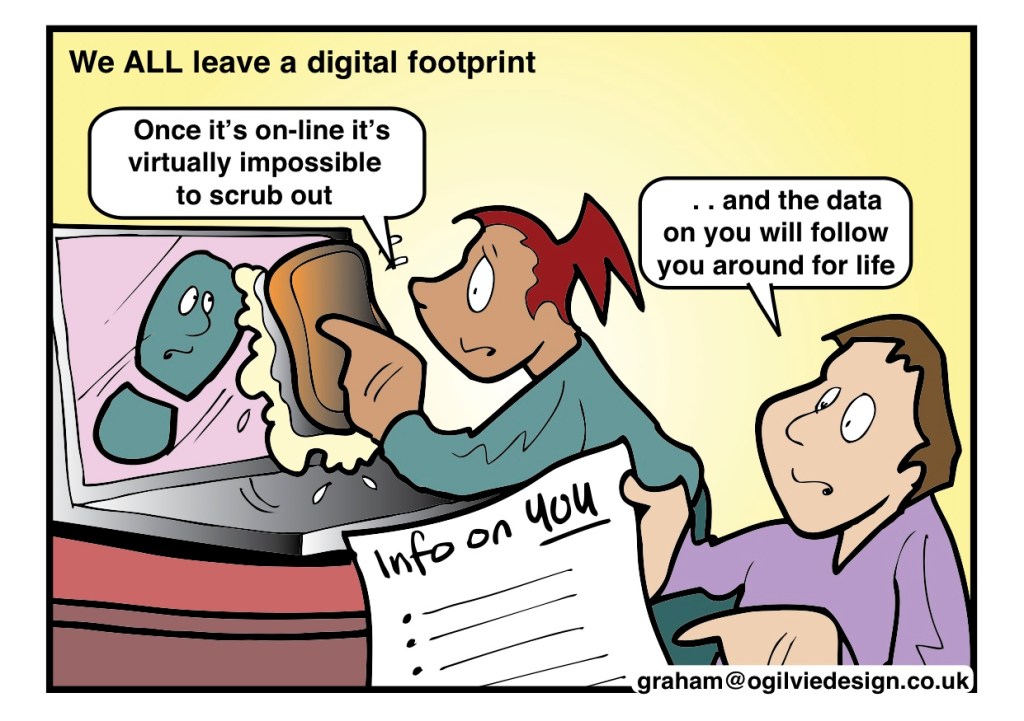
Now I rarely go on social media. I stopped posting on Facebook and Instagram regularly about 4 years ago. The reason I stopped posting on Instagram was I found myself always thinking about taking pictures and what picture I would post during a trip or experience instead of just enjoying and being present in moments. After our class about digital identity, I was quick to look up myself and see what kind of digital footprint I have and what people could find out about me. I was happy to not find much about myself. I have a name that is common so nothing really comes up in google except my school website where I work. On my personal social media I have lots of privacy settings. When searching my handle, posts that my friends made and tagged me in came up. I realized that every time my friends post something with me it becomes part of my digital identity or footprint.
Reflecting on digital identity has made me become more aware of what I post and how it may forever become part of who I am. It is important to have conversations about digital identity with students at all ages. All educators should have a chance to learn about digital identity so it can be a natural conversation throughout our classrooms.














 Christina